
Live Set Edit screen
On this screen, you can edit the Live Sets.
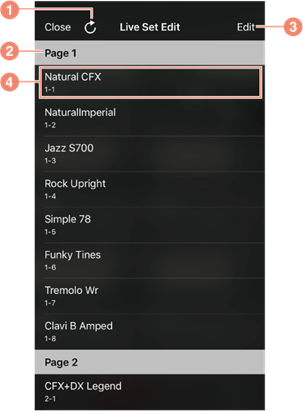
a) For re-loading the Live Set data of the instrument.
b) For displaying the Live Set page number.
c) For switching to the Edit mode.
d) For displaying the details of the Live Set Sound. Tap to change the instrument’s Live Set Sound.
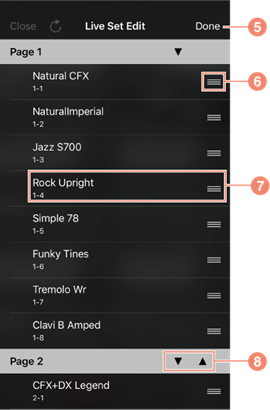
e) For exiting the Edit mode.
f) Drag-and-drop to change the order of the Live Set Sounds.
g) When you’re in the Edit mode, tap this to display the Rename dialogue box to rename the Live Set Sound.
h) For moving the whole Live Set toward the selected arrow.
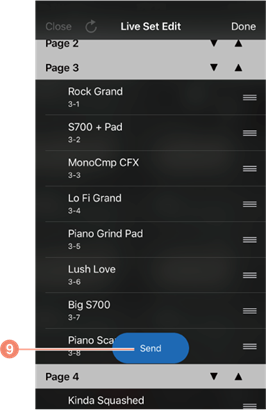
i) Tap to change the instrument’s Live Set.
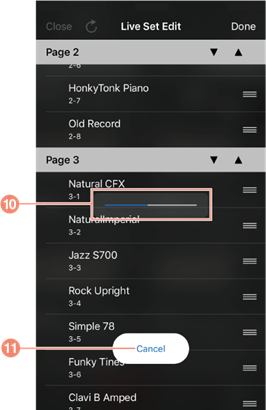
j) For displaying the transmit status of the Live Set data to the instrument. While this indicator is displayed, no other messages can be sent to the instrument from any other functions on this app.
k) Tap to cancel the Edit.