
Set List screen
Sounds can be freely arranged within set lists, which are edited by using this screen.
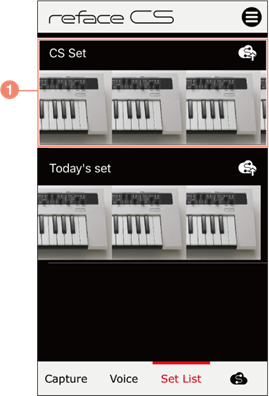
a) The name of the set list and the images assigned to its sounds. Tap the name to switch to the Set List details screen. Tap and hold if you wish to delete a set list or edit its name.
Set List details screen

b) The sounds contained in the set list. Tap an image to send the corresponding sound to the instrument as bulk data. Tap a sound name to switch to the sound Details screen. Tap and hold if you wish to delete a sound from the set list or change the order of sounds.