


Connecting to Android devices
This explains what to do to power this unit, up through connecting to an Android device. An external power supply is required to connect to an Android device.
What you need
- USB power adapter or USB mobile battery (at least 5 V, 1 A)
- USB cable (commercially available, for power supply)
- 3.5 mm 4-conductor stereo mini cable
NOTE
- This product can’t input/output audio via the USB cable.
- The audio signal sent to the Android device is monaural.
- When using this product for streaming or otherwise using it for long periods of time, have a power supply on hand for powering your Android device.
Connecting
- Make sure that the volume on this product and on the connected device is turned all the way down.
- Connect a commercially-available USB power adapter, USB mobile battery or similar device to the [5V DC IN] USB port on the rear of this unit.
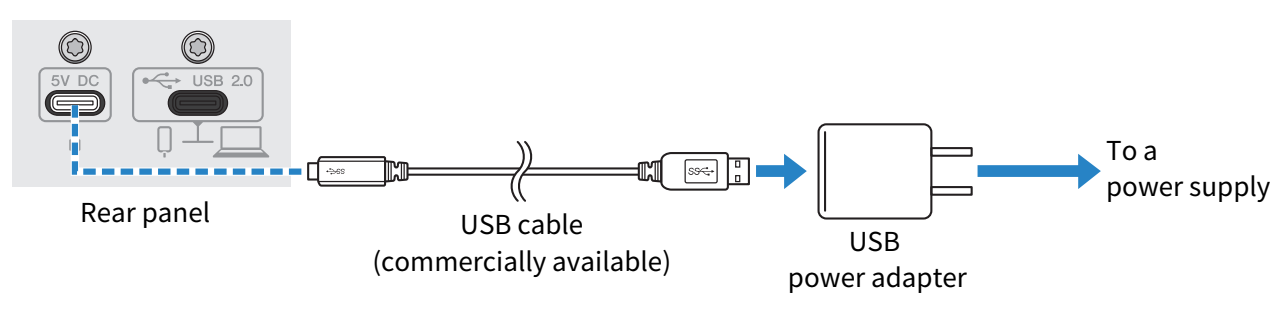
- Check whether the power LED of this product is lit.
- Using a 3.5 mm four-conductor stereo mini cable, connect the smartphone [P] input/output jack on this product to the headset jack on your Android device.
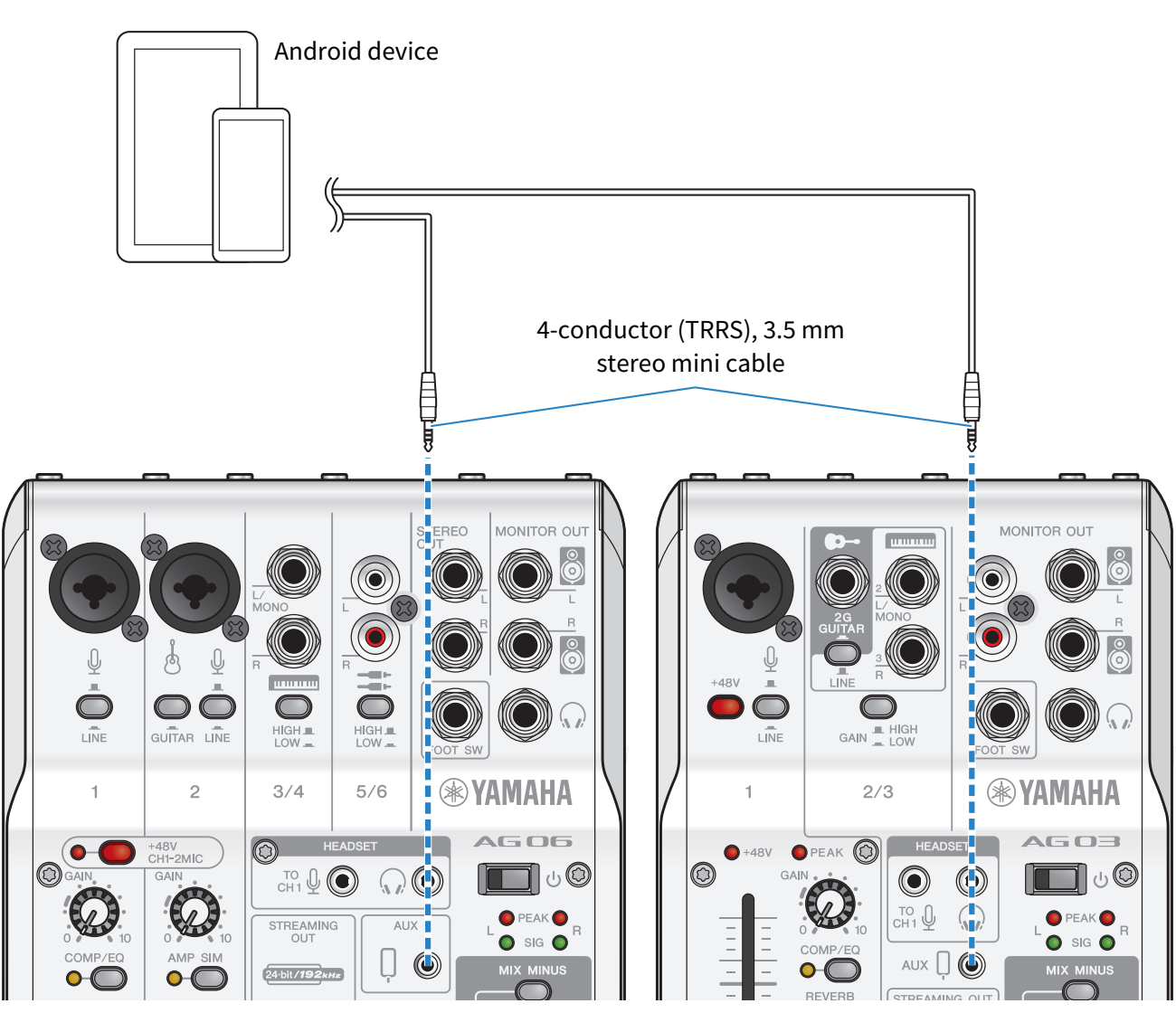
NOTE
- You will need a conversion adapter cable if your Android device does not have a jack for connecting stereo mini plugs. For example, for Android devices that use a USB-C port to input/output audio, you’ll need a USB-C to 3.5 mm four-conductor (TRRS) earphone jack conversion adapter cable.
- Use a four-conductor (TRRS) stereo mini cable, not a two- or three-conductor (TS/TRS) cable.
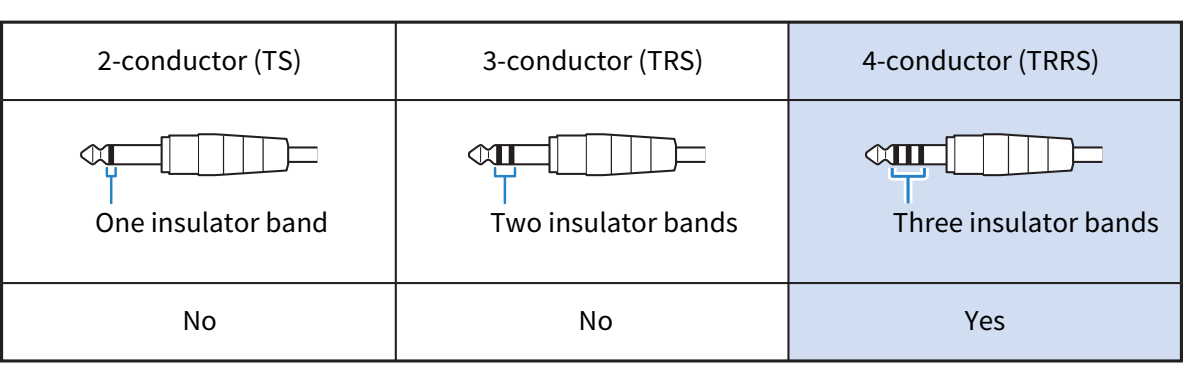
- Once connected, use your music playback or recording app to test whether the audio is being inputted and outputted.
 AG03MK2 AG06MK2