


SYSTEM SETUP field (SETUP screen)
This field enables you to make various settings that globally apply to the control surface.
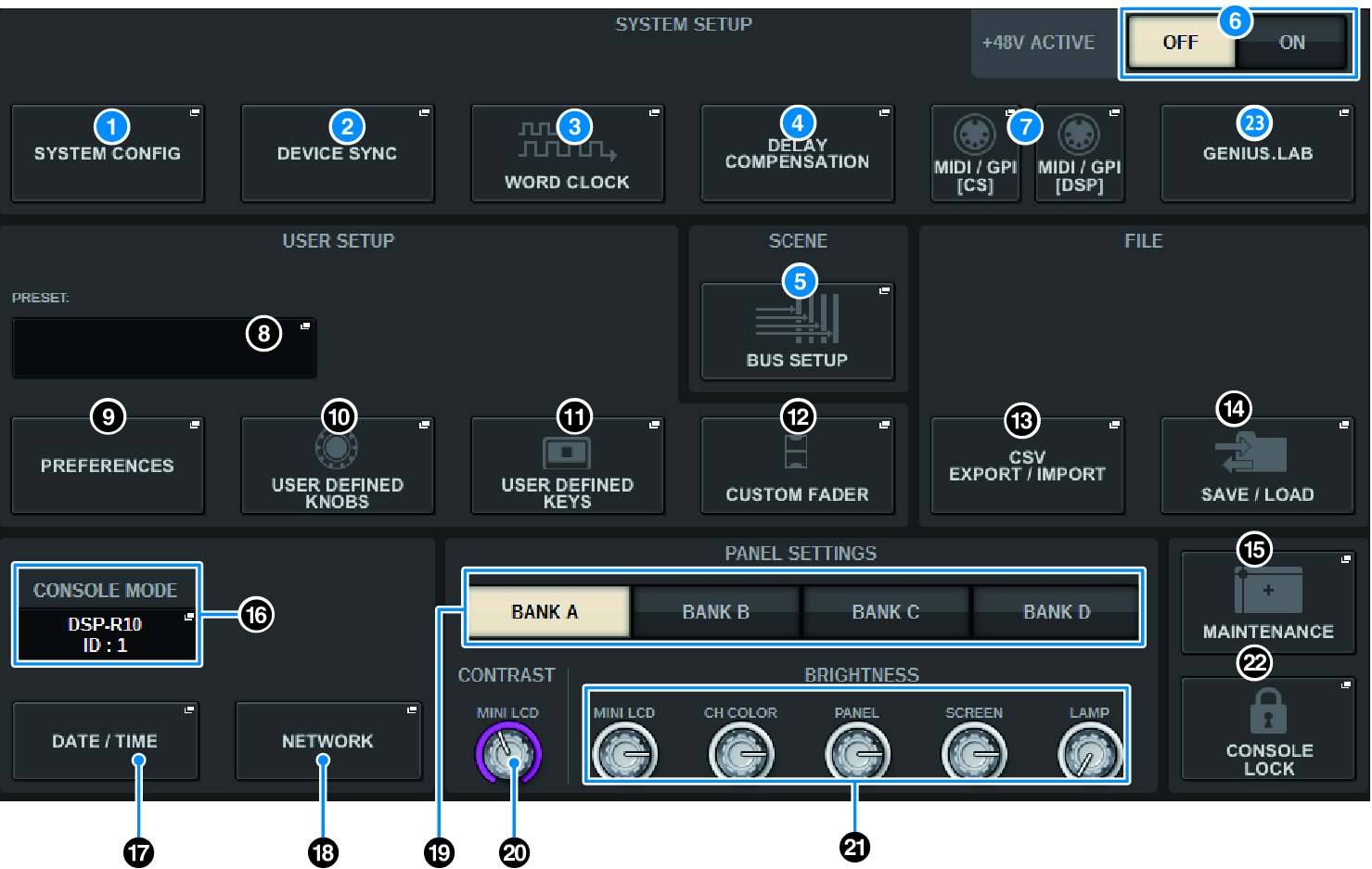
a | SYSTEM CONFIG popup button Press this button to access the SYSTEM CONFIG popup window, in which you can configure the TWINLANe network and set up the components that comprise the RIVAGE PM series. |
b | DEVICE SYNC popup button Press this button to access the “DEVICE SYNC screen”, in which you can set the direction of data synchronization. |
c | WORD CLOCK popup button Press this button to access the WORD CLOCK popup window, in which you can set the word clock. |
d | DELAY COMPENSATION popup button Press this button to access the “DELAY COMPENSATION popup window”, in which you can make settings to compensate for signal delay. |
e | BUS SETUP popup button Press this button to access the “BUS SETUP page”, in which you can switch bus operation, mono/stereo, or send point, and specify mix minus and surround settings. |
f | +48V ACTIVE button Switches the console’s master +48V master phantom power on or off. If this button is off, phantom power will not be supplied even if the +48V button of an OMNI jack input channel or TALKBACK IN is on. |
g | MIDI/GPI [CS] popup button, MIDI/GPI [DSP] popup button Press this button to access the “MIDI/GPI window (MIDI SETUP page)”, in which you can make MIDI and GPI settings. |
 RIVAGE PM Series