


Configuring the speaker settings automatically based on the YPAO measurement results with the angle/height measurement
Perform the following procedure to take a measurement when the “Angle/Height Measure” option is selected.
NOTE
- Do not use the microphone base until the corresponding message appear on the TV.
- During the measuring process, test tones are output at high volume. You cannot adjust the volume.
- During the measuring process, stay in a back corner of the room and note the following for accurate measurement.
- Keep the room as quiet as possible.
- Do not block sound between the speakers and the YPAO microphone.
- Do not connect headphones.
- YPAO multi measurement option cannot be enabled with wireless speakers.
- When Dolby Enabled speakers are used as the presence speakers, the height measurement is not performed.
- Select the unit’s speaker impedance settings as necessary.
- Configure the corresponding speaker settings.
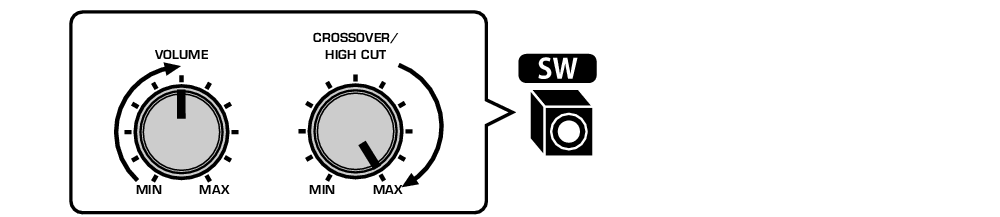
- Set the volume of the subwoofer to half. If the crossover frequency is adjustable, set it to maximum.
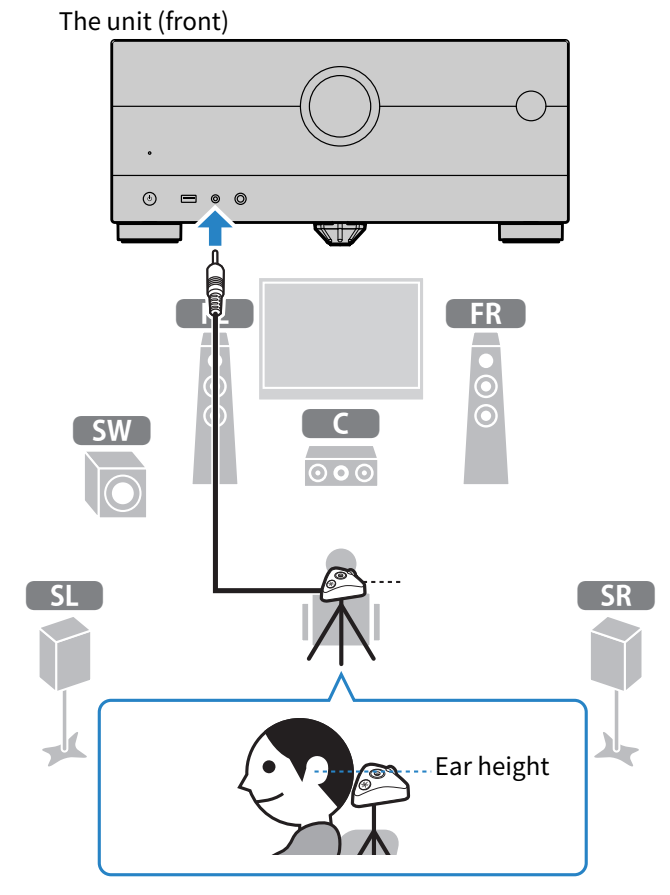
- Place the YPAO microphone at your listening position (same height as your ears).
- We recommend the use of a tripod as a microphone stand and adjust your listening position (same height as your ears). You can use the tripod screws to stabilize the microphone.
- Connect the YPAO microphone to the YPAO jack.
- Select “Angle/Height Measure” under “Measuring option”.
- According to the guidance displayed on the screen, start the measurement.
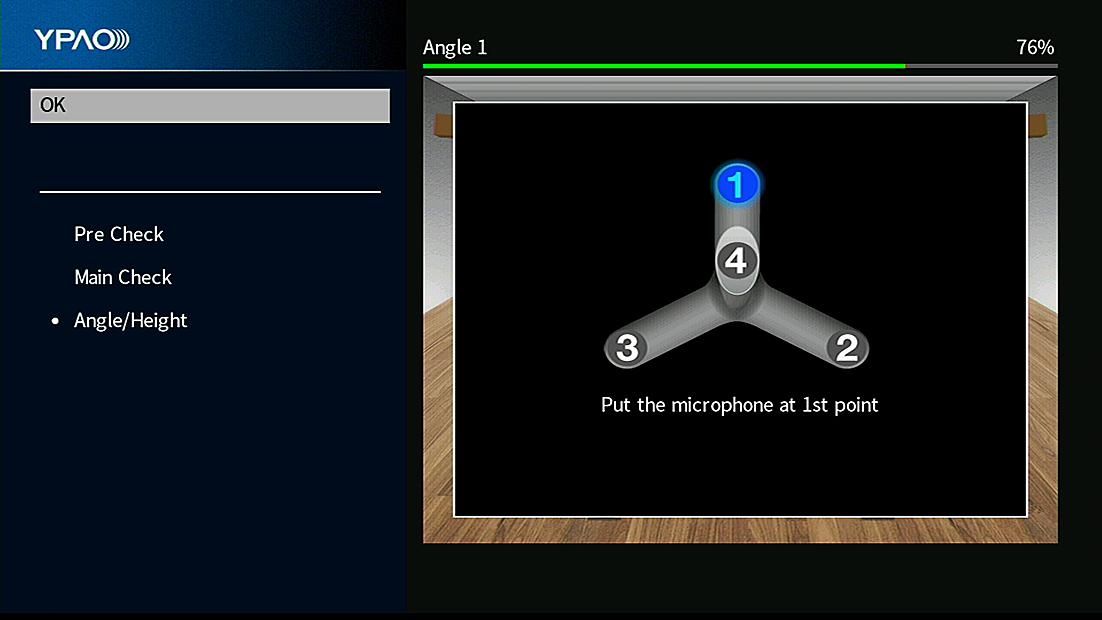
- The following screen appears on the TV at the time of angle/height measurement.
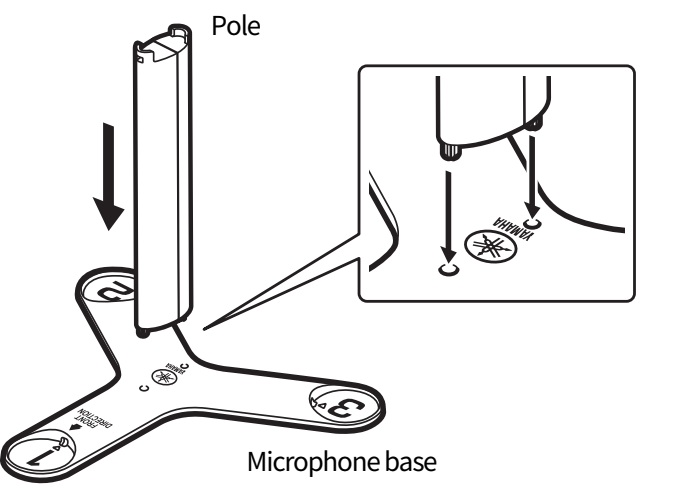
- Attach the supplied pole to the center of the microphone base.
- Place the microphone base at the listening position (same height as your ears) you will be seated most frequently.
- We recommend the use of a tripod and adjust your listening position (same height as your ears). You can use the tripod screws to fix the microphone base.
- Set the YPAO microphone to the position “1”.
- Do not move the microphone base until the fourth angle measurement finishes.
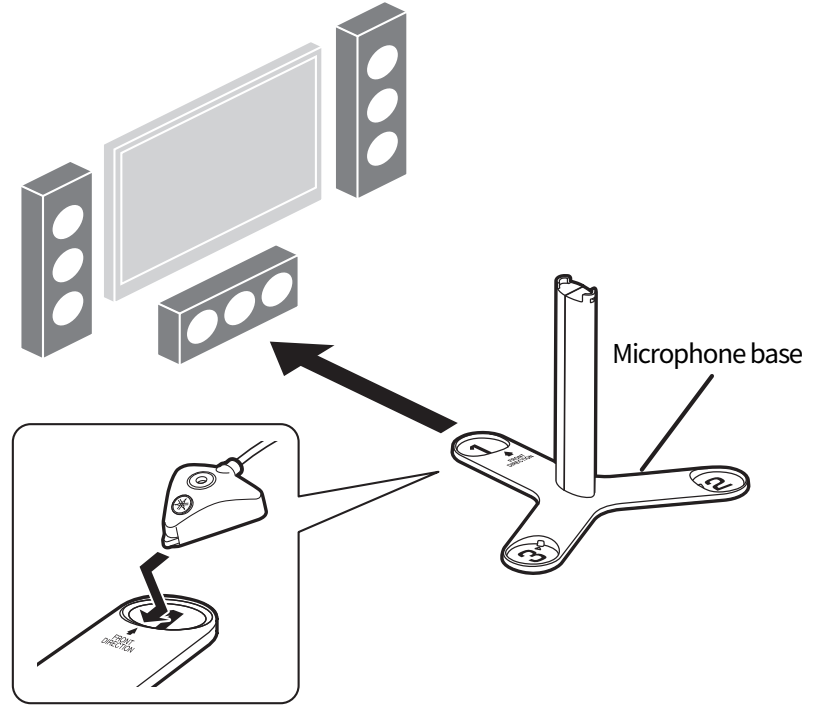
- Press ENTER to start the first angle measurement.
- The following screen appears on the TV when the first angle measurement finishes.
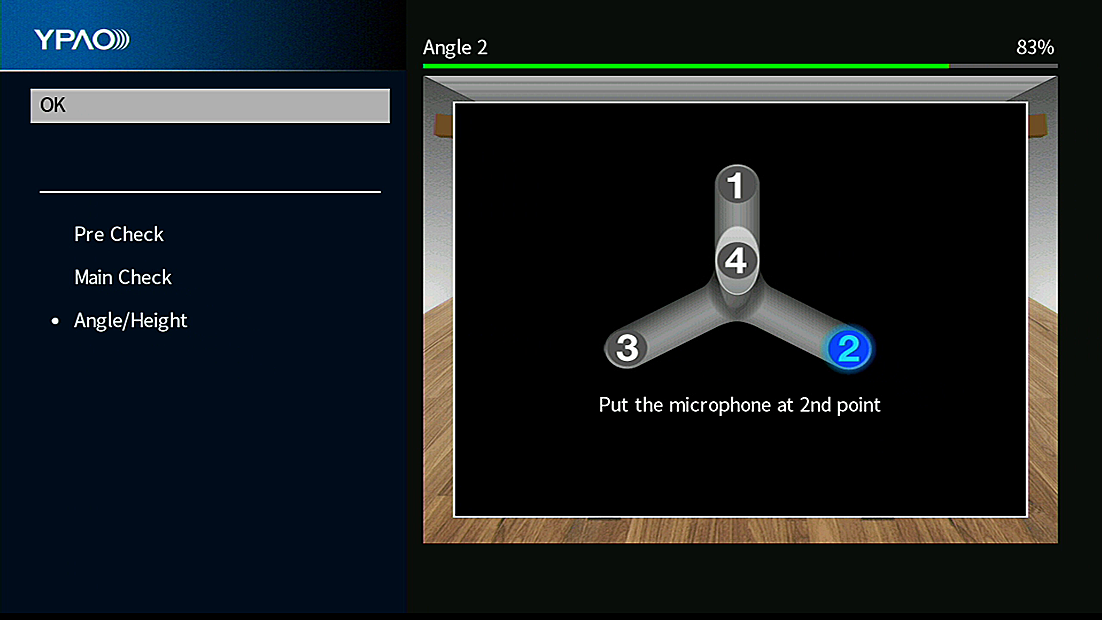
- In the same way, perform the angle measurement for the positions “2” and “3”.
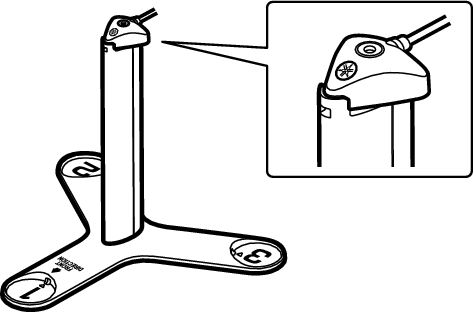
- Set the YPAO microphone at the top of the pole and perform the fourth angle measurement.
- The following screen appears on the TV when the fourth angle measurement finishes.
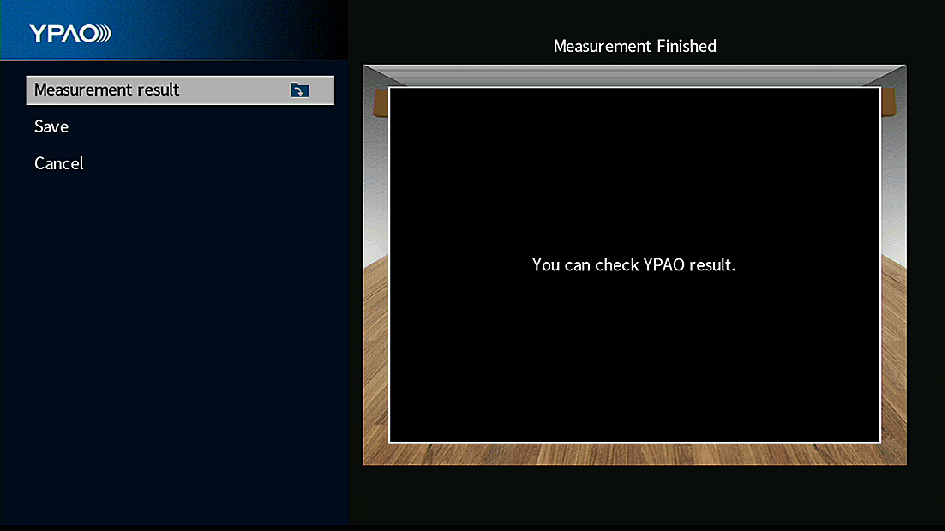
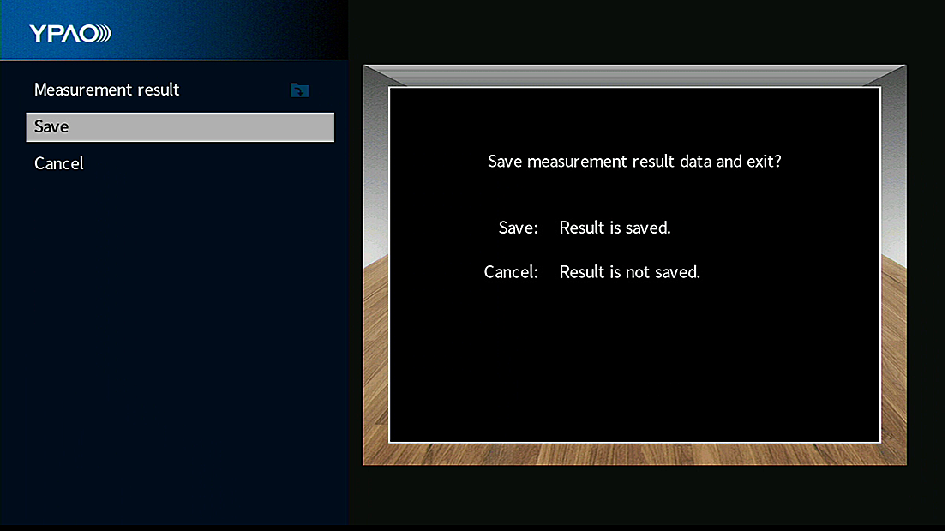
- Select “Save” to save the measurement result.
- The adjusted speaker settings are applied.
- Disconnect the YPAO microphone from the unit.
- This completes optimization of the speaker settings.
NOTICE
- The YPAO microphone is sensitive to heat, so should not be placed anywhere where it could be exposed to direct sunlight or high temperatures (such as on top of AV equipment).
 RX-A4A