


Selected channel concepts
The RIVAGE PM series enables you to select a specific channel to control or for which to display mixing parameters.
Types of selected channels
The CS-R10 control surface enables you to select specific “independent” channels. This feature enables you to control multiple channels on a single control surface.
Selecting a channel by using hardware
You can select a specific channel for the Selected Channel section (hardware). You can also use [SEL] keys on each bay.
Selecting channels on screen (up to three individual channels)
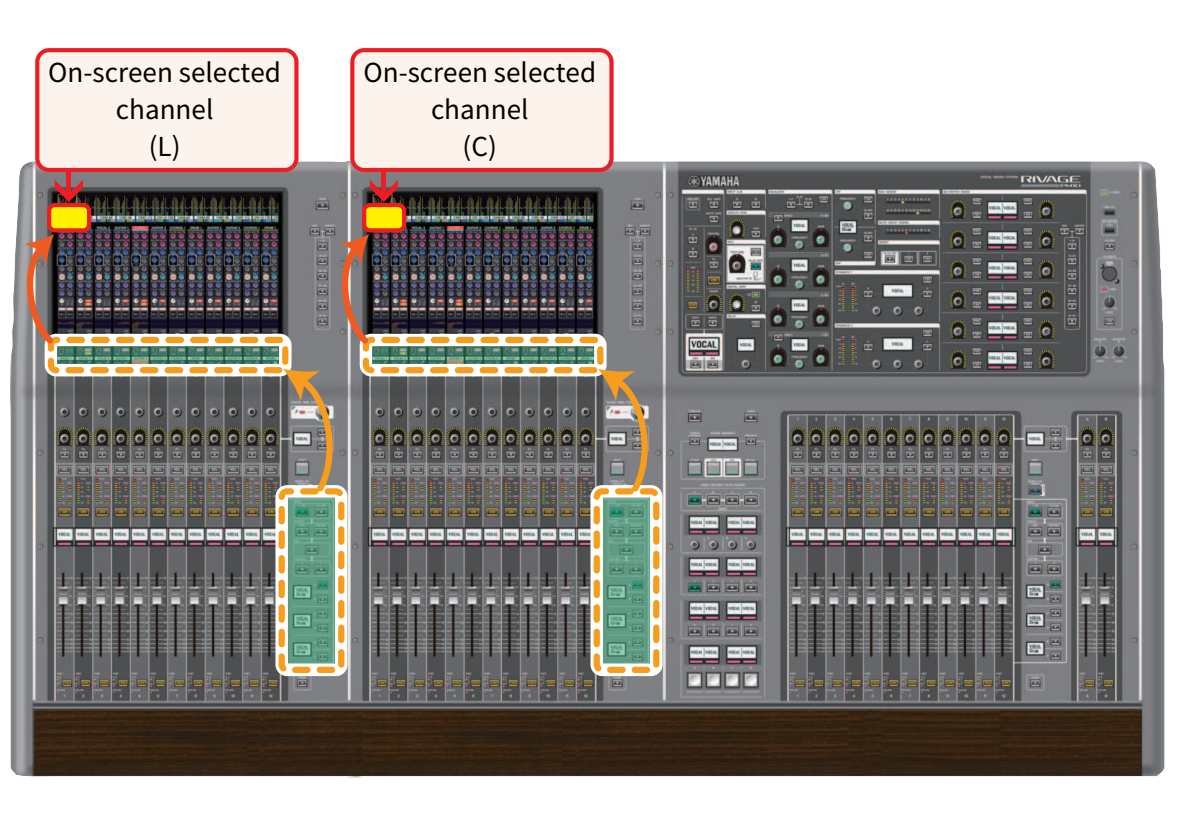
You can also customize links between those on-screen selected channels on bay L, C or R (external display) of the CS-R10 or CSD-R7, or those on-screen selected channels on bay C or R (external display) of the CS-R10-S, and the ones selected via hardware keys, in accordance with your operational style.
Hardware [SEL] key

A [SEL] key is used to select the corresponding channel for the Selected Channel section (hardware). However, the [SEL] keys can also be linked to on-screen selected channels to assign channels to a DCA or mute group.
Selecting channels on screen
In addition to the Selected Channel section (hardware), the touch screen in each bay is useful for controlling parameters for one specific channel. One specific channel selected on each touch screen is called an “on-screen selected channel.”
You can select a channel on screen in one of the following ways:
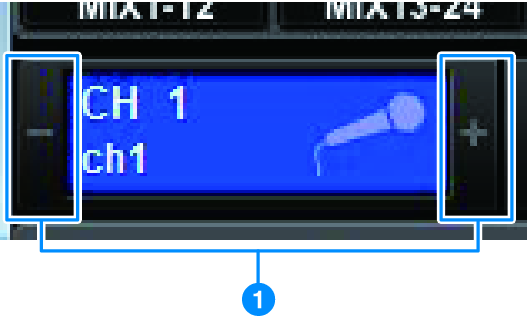
a | Press either side (+/– buttons) of the selected channel indication in the upper-left of the screen. Press the left side (–) of the selected channel indication to select the preceding channel. Press the right side (+) of the area to select the next channel. |
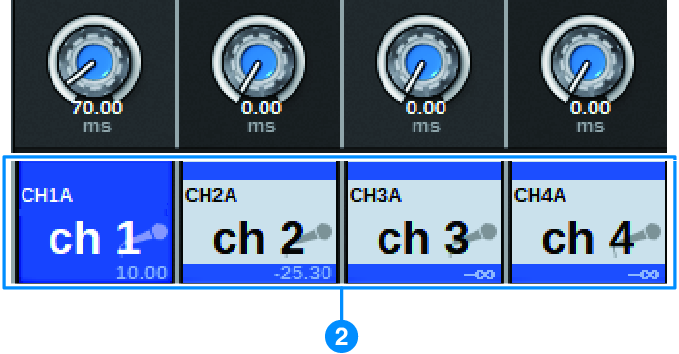
b | Press the channel name area located at the bottom of the screen. Press the channel name repeatedly to switch the selected channel on screen. If you switch fader layers in the meter area, the channel name area will change the indication accordingly. In this way, you can access any channel on screen. |
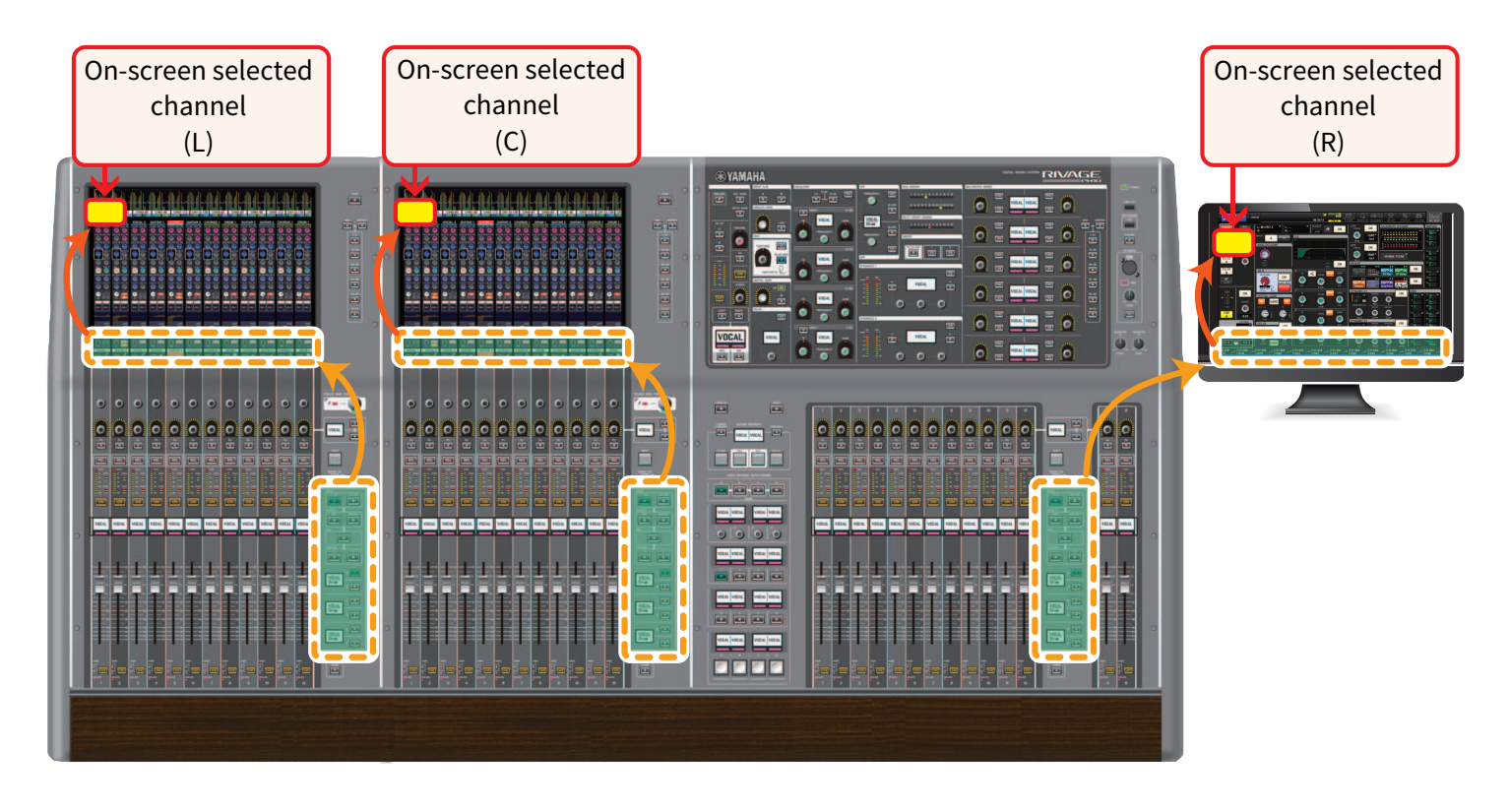
On-screen selected channel displayed on an external monitor
The on-screen selected channel on an external monitor screen also serves as the on-screen selected channel for bay R. In this way, if you use the external display and a USB mouse, you will be able to operate channel parameters on bay R in same way you do on bay L and bay C.
Linking selected channels
The PREFERENCES window enables you to set up a link between the selected channels/parameters on screen and the [SEL] keys (hardware), and to set up a link between each bay's [SEL] keys.
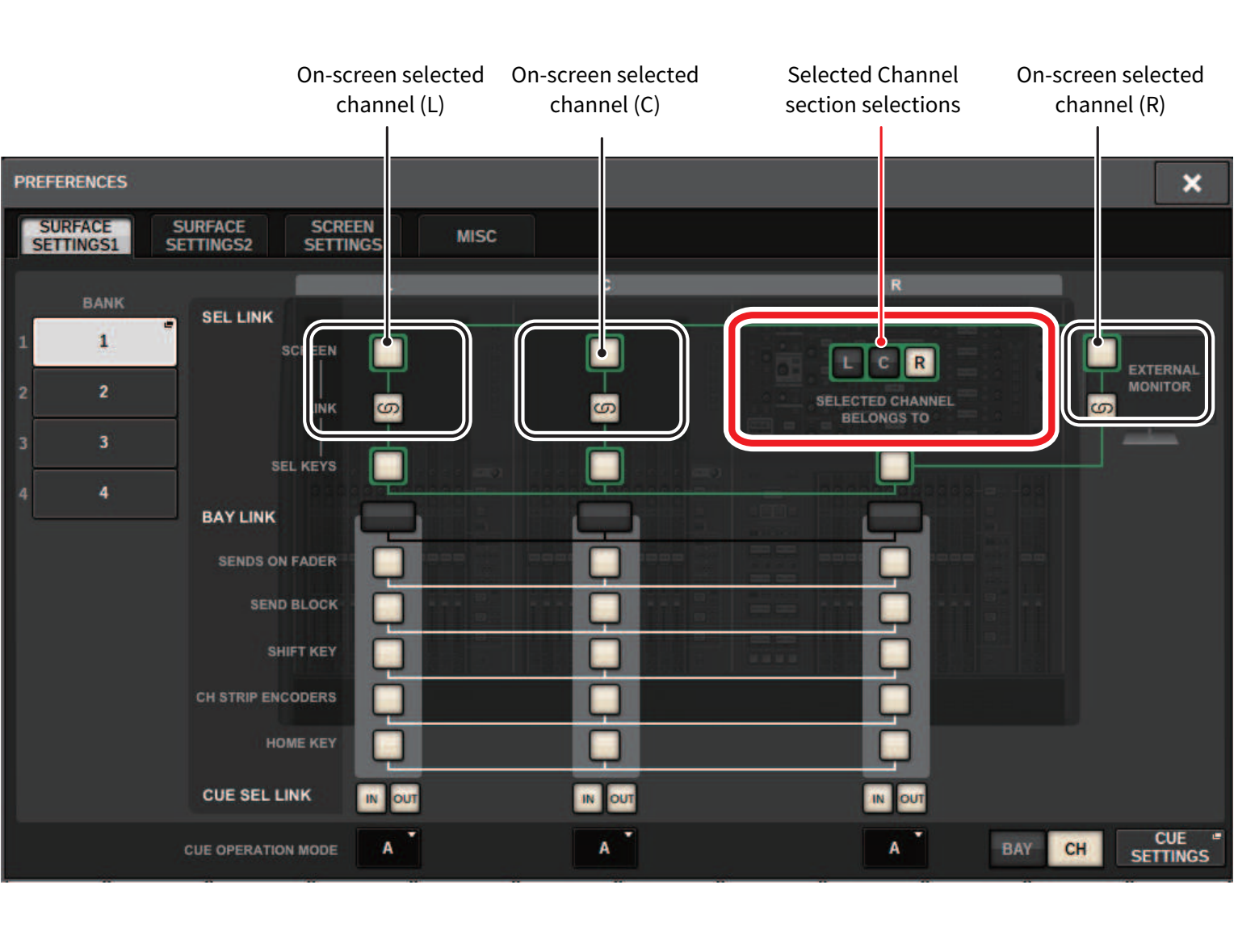
For more information on the buttons, refer to SURFACE SETTINGS 1.
- SCREEN: Links with the SEL between bays on the screen
- LINK: Links with the SEL on the screen and the [SEL] keys
- SEL KEYS: Links with the [SEL] keys between bays
 RIVAGE PM Series