Panel Operation
4. Panel Operation
Using the buttons on this product enables you to execute the following three functions.
For details on display screen transitions, refer to
"Display"
.
4.1. Muting/Unmuting
You can switch MUTE on/off by holding down the [
 ]PREV and [
 ] NEXT buttons simultaneously for two seconds.
 NOTE
NOTE
-
You can check the mute on/off status using the icon at the top of the Home screen.
 Mute off
 Mute on
4.2. Identify
If you hold down the [
] NEXT button for two seconds, the indicator for this unit on the ProVisionaire Design screen will flash green.
4.3. Restoring factory default settings(Initialization)
-
Turn off the power.
-
While holding down the [
] PREV and [
] NEXT buttons, turn the power on, and continue holding down the buttons for another five seconds.
-
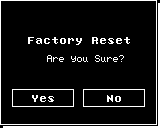
When the confirmation screen is displayed, press the [
] PREV button.
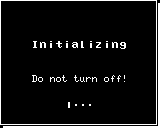
The unit enters initialization mode and will be initialized. The unit automatically restarts when initialization is finished.