Display
6. Display
6.1. Screen Layout
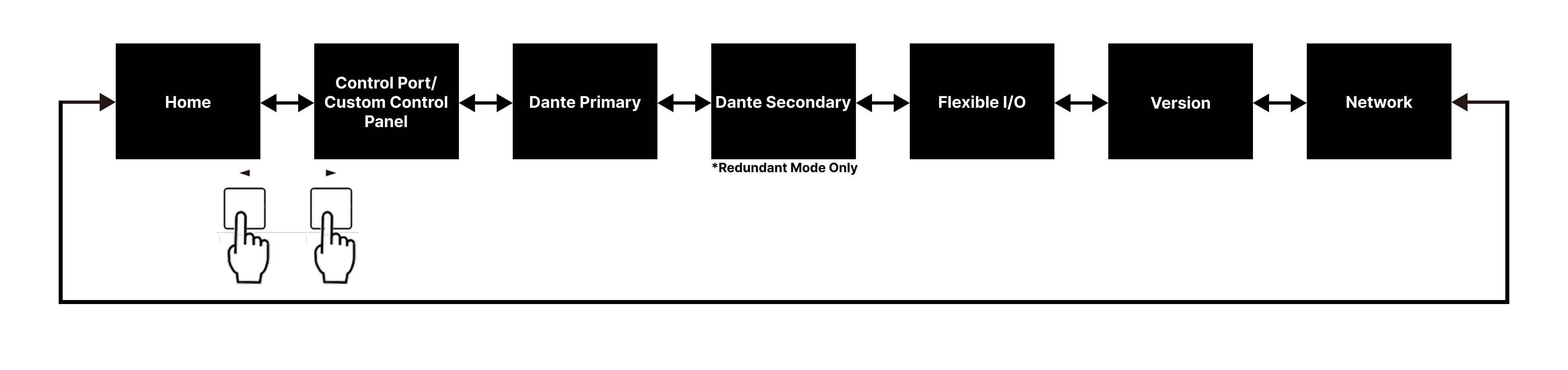
Press the NEXT button [
 ] on the device to move to the right screen, and press the PREV button [
 ] to move to the left screen.
The main screen only displays the status. To change settings, use ProVisionaire Design or a similar application.
For the setup method in ProVisionaire Design, refer to the
ProVisionaire Design User Guide
.
6.2. Screens
6.2.1. Home
When you turn the power on, the Home screen will be displayed.
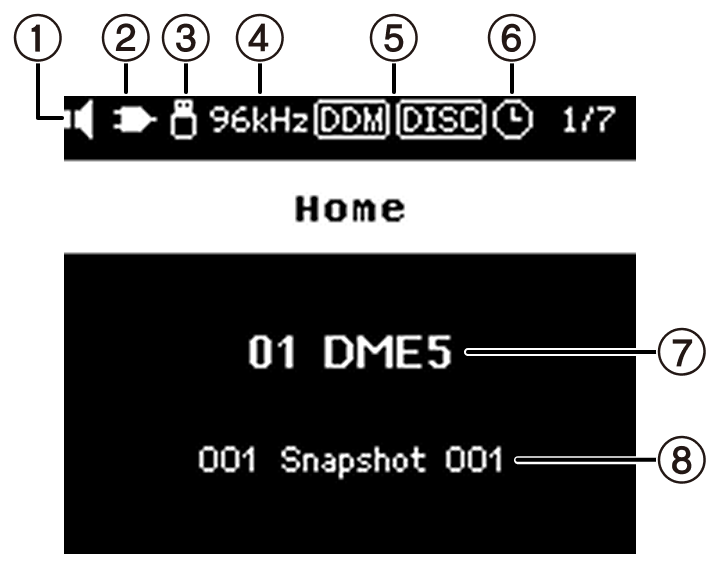
①
Device Mute status indicator
Indicates the mute on/off status.
 Mute off
 Mute on
②
Control status indicator
Indicates the on/off status of the control function.
 On
On
 Off
Off
③
USB memory status indicator
Indicates the status of the USB memory by displaying an icon when it is inserted into the USB TO DEVICE connector.
④
Word clock status indicator
When the word clock is locked, the sampling frequency (48 kHz or 96 kHz) is displayed.
If the word clock is unlocked or the configuration data has not been transferred from ProVisionaire Design,
 will be displayed.
⑤
DDM (Dante Domain Manager) status indicator
 Joined the DDM domain
 Joined the DDM domain but not connected to the DDM server
DDM Server LOCAL CONTROLLER ACCESS setting
 Read Write: Can be changed
 Read Only: Cannot be changed
⑥
Scheduler status indicator
An icon is displayed if the Scheduler has been set. The icon starts flashing one minute prior to the scheduled event.
⑦
Unit ID and Device Name
Displays the unit ID and device name. The unit ID and device name can be changed in ProVisionaire Design.
⑧
Snapshot Name
Displays the name of the snapshot last recalled in ProVisionaire Design.
Snapshots are stored and recalled using ProVisionaire Design.
6.2.2. Control Port / Custom Control Panel
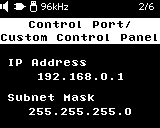
Displays the IP address and subnet mask for controlling ProVisionaire Design and other external devices. The IP address is set using ProVisionaire Design.
6.2.3. Dante
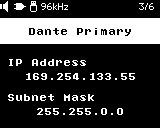
Displays the Dante IP address and subnet mask. In redundant mode, the Dante Primary and Dante Secondary IP addresses are displayed on separate screens. Dante IP addresses are set using Dante Controller.
6.2.4. FLEXIBLE I/O
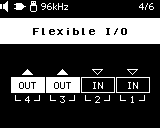
Displays the status of FLEXIBLE I/O. In/Out switching settings are made in ProVisionaire Design.
6.2.5. Version
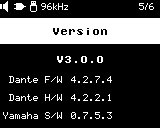
Displays the version information. The first line is the version of the main firmware. Lines 2 to 4 indicate the firmware versions that make up the Dante module. Starting from the second line, the versions of the Dante firmware, Dante hardware, and Yamaha software are displayed. Version upgrades are performed using ProVisionaire Design.
6.2.6. Network
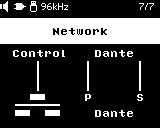
Displays the currently set network mode. Mode switching is done using Dante Controller. For details about network modes, refer to "Network Modes."
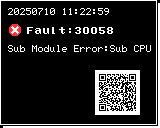
6.2.7. Alert
If the DME malfunctions, an alert message will appear on the display. If an alert is already displayed when a higher level malfunction occurs, the alert for the higher level malfunction will be displayed. Scan the QR code displayed on the screen with a smart device such as a smartphone to view the details of the alert. For details about each alert, refer to "Message List" .