
Functions
8. Functions
This section introduces some useful DME functions.
8.1. Custom Control Panel
The Custom Control Panel function allows you to operate the DME and peripheral devices via a control panel. A control panel created with Provisionaire Control PLUS can be run on a DME, and the control panel can be accessed and operated from a browser.
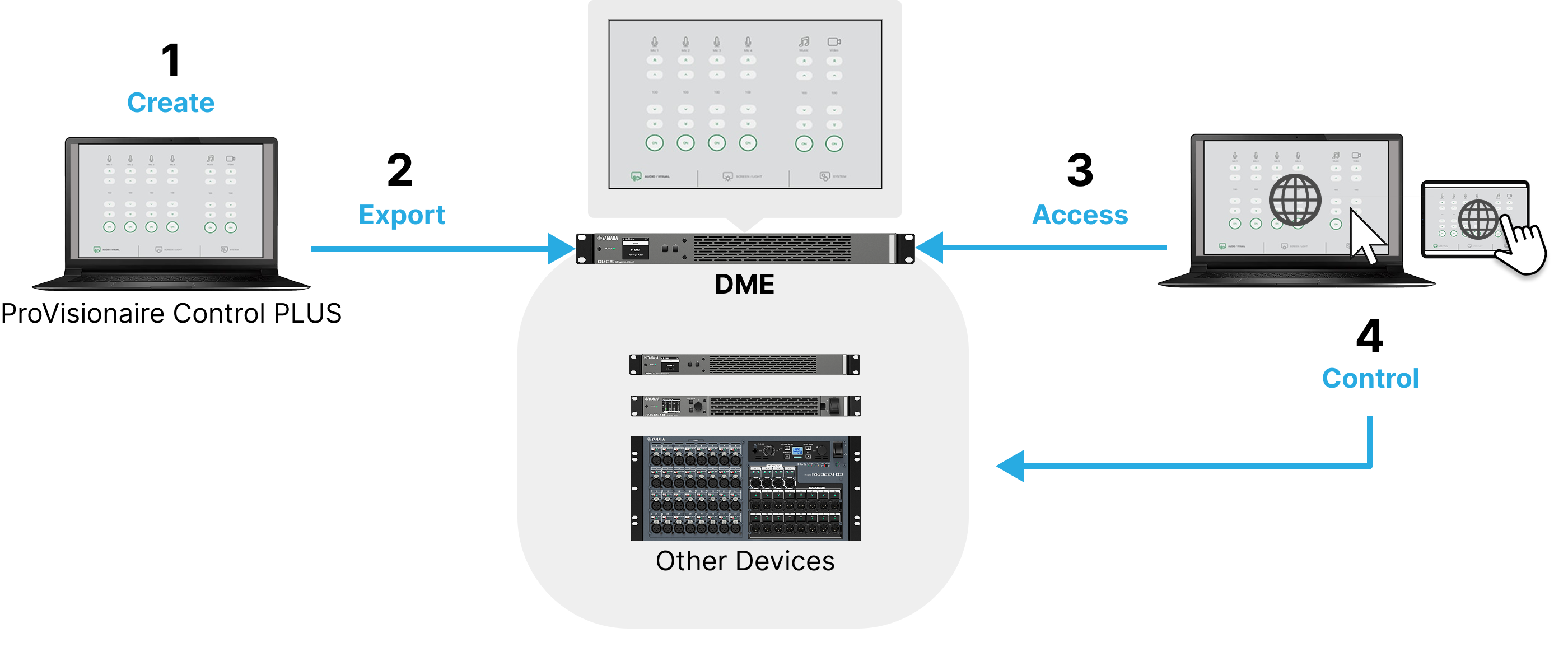
8.1.1. Workflow
-
Create a controller file in ProVisionaire Control PLUS.
For instructions on how to create controller files, refer to the "ProVisionaire Control PLUS User Guide" . -
Transfer the controller file created in ProVisionaire Control PLUS to the DME.
There are two ways to perform transfer.-
Transfer from ProVisionaire Control PLUS
For the transfer method, refer to the "Custom Control Panel" in the "ProVisionaire Control PLUS User Guide" . -
Transfer from ProVisionaire Kiosk
For the transfer method, refer to "Transferring Controller Files" in the "ProVisionaire Kiosk User Guide" .
-
 NOTE
NOTE
-
One DME unit can only hold one controller file.
If a new transfer is performed while the DME is still holding the controller file, the file will be replaced. -
If a PIN is set, you will need to enter it when performing transfer. For details, refer to the "ProVisionaire Control PLUS User Guide" .
-
Enter the IP address displayed on the "Control Port/Custom Control Panel screen" in the address bar of your browser.
The control panel held by the DME is displayed.
-
Use the control panel to control peripheral devices.
NOTE
-
Multiple computers can connect to the control panel simultaneously.
-
For more information on the display environment (supported browsers and operating systems), please refer to the Yamaha Pro Audio website.
https://www.yamahaproaudio.com/
8.2. Conductor
The Conductor is a function that allows the DME to control peripheral devices. The Conductor is provided as a control component of the DME. The peripheral devices can be controlled by assigning presets/snapshots and parameters of DME peripheral devices to the Conductor component and then operating these with an external controller or control component.
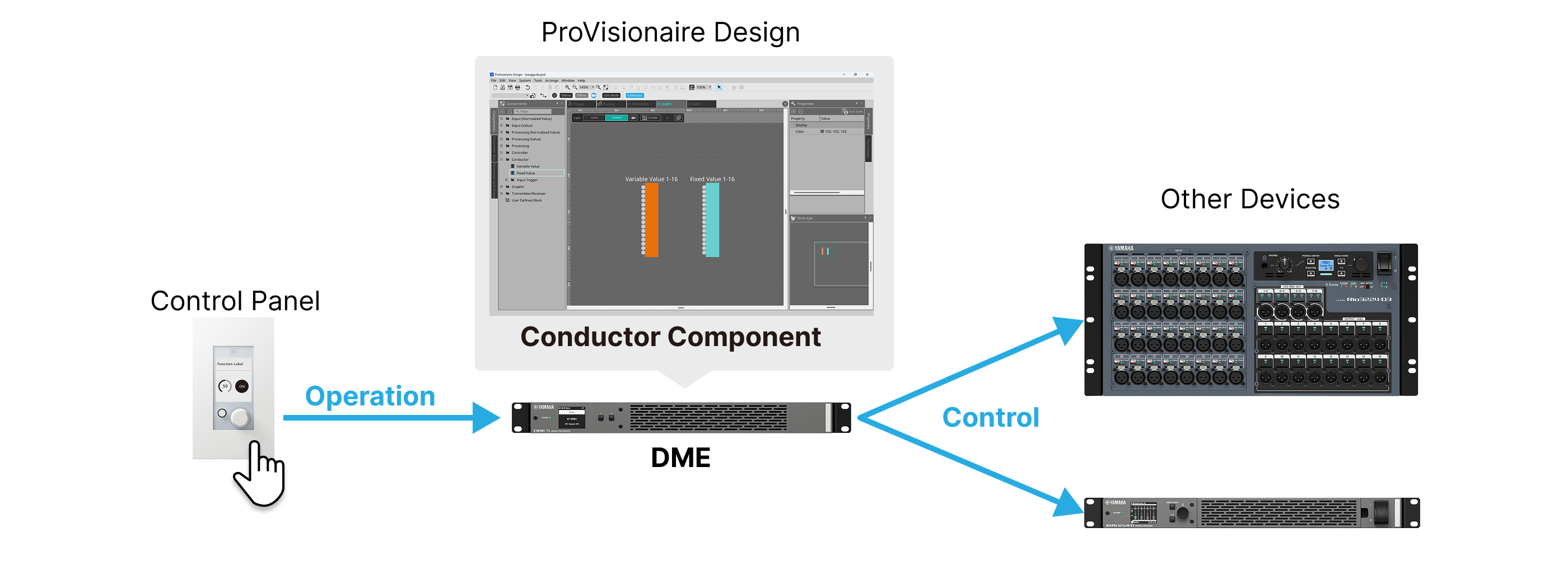
The Conductor is configured using ProVisionaire Design.
For details, refer to "Conductor" in the
"ProVisionaire Design Component Guide"
.
8.3. Speech Privacy
The Speech Privacy feature mixes ambient sounds with distracting sounds to make conversations in specific locations more difficult for others to hear. Each DME unit supports only one instance of this function. Two mixed signals are output per system: one without offset and one with an offset that offsets the playback point. By alternately positioning the speakers that output each signal, the discomfort caused by phase shifts where the sounds overlap is reduced.
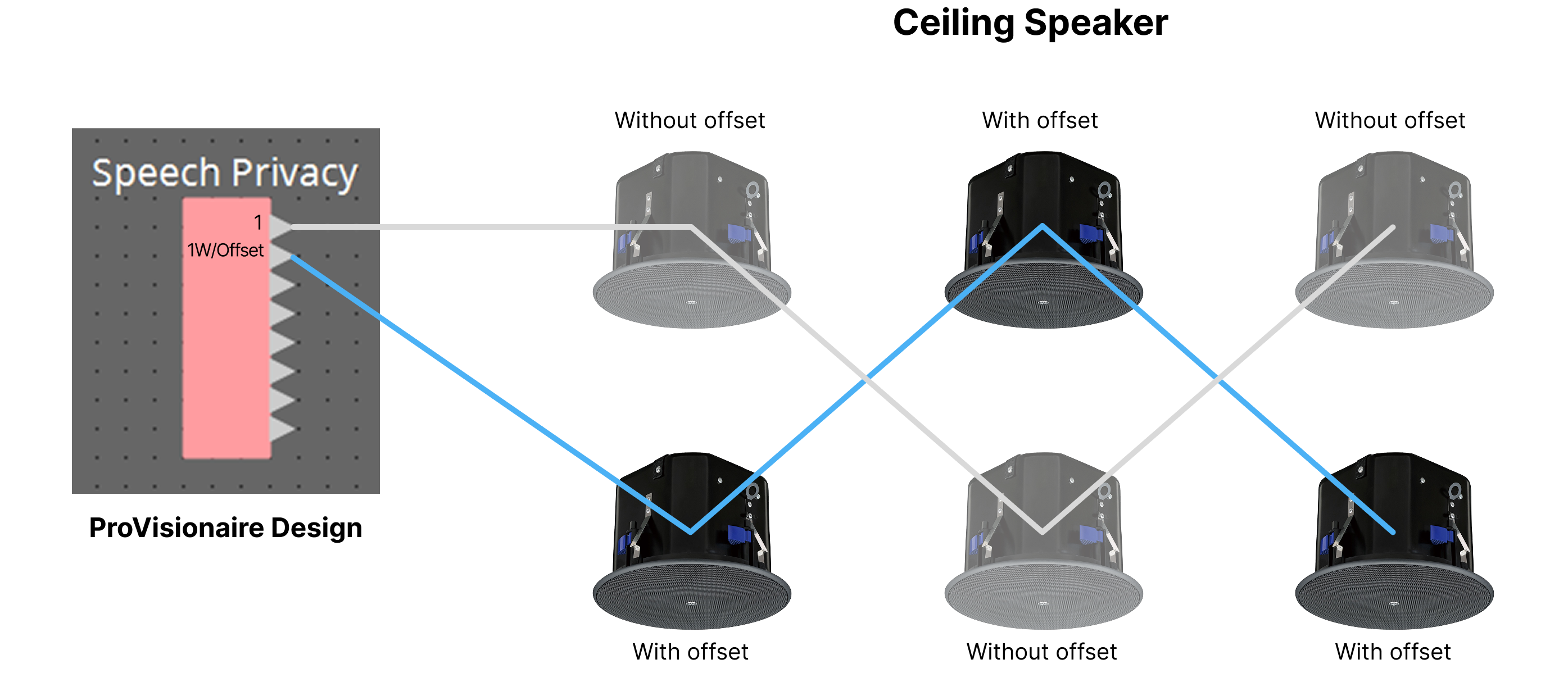
The Speech Privacy is configured using ProVisionaire Design.
For details, refer to "Speech Privacy" in the
"ProVisionaire Design Component Guide"
.
8.4. Mute Group
The Mute Group allows you to link peripheral devices such as the DME, microphones, and speakers with the audio settings in the conferencing application in an online conferencing environment using a PC connected via USB to the DME.
The Mute Group is configured using ProVisionaire Design.
For details, refer to "Mute Group" in the
"ProVisionaire Design Component Guide".