


Connecting to an external amp
Connect an external amp (a preamp or power amp), an active speaker or similar equipment to the [PRE/LINE OUT] output connector to output audio from this product.
- When connecting an external amp or similar equipment, make sure that the device’s power is off and that this product’s AC power cord is not connected to the AC outlet.
Required cables
You’ll need a commercially available three-pin balanced XLR cable or a stereo RCA cable.
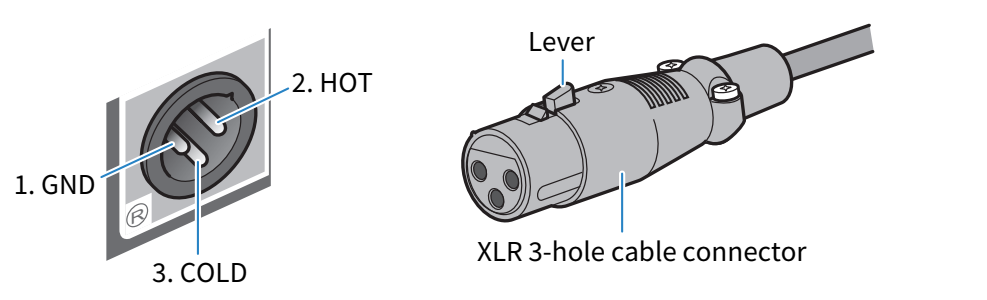
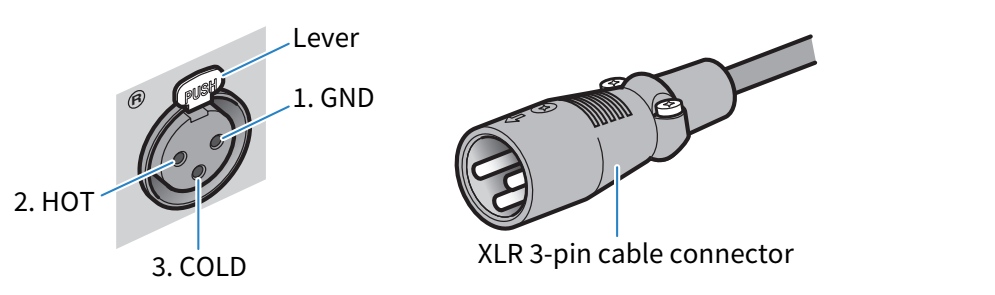
About XLR connectors
When using an XLR connector, make sure that the pin arrangement (polarity) on the XLR connector of your external amp is compatible with this product.
This product | [PRE/LINE OUT] (XLR) output connector and XLR connector
|
External amp | XLR input connector and XLR connector
|
How to connect
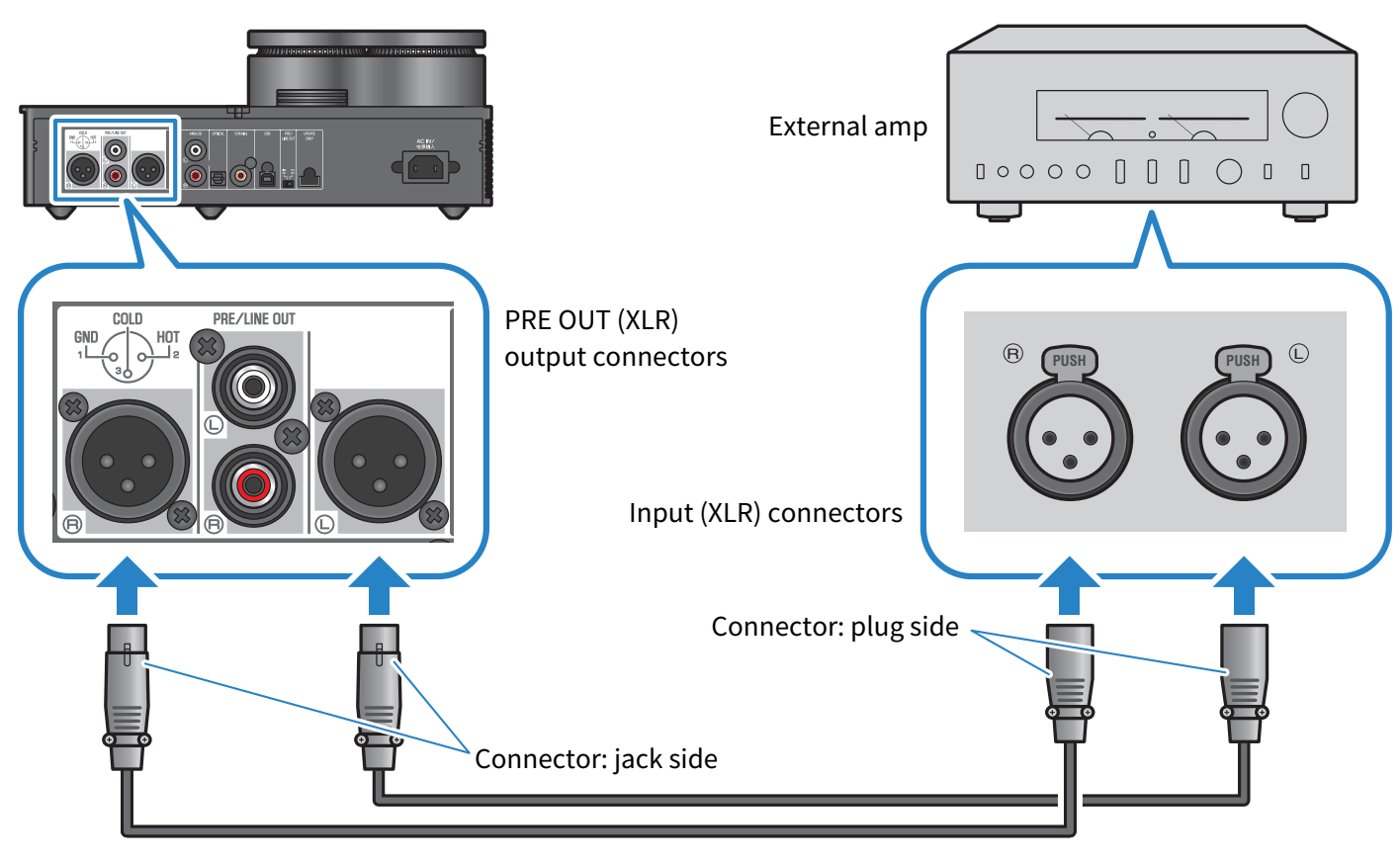
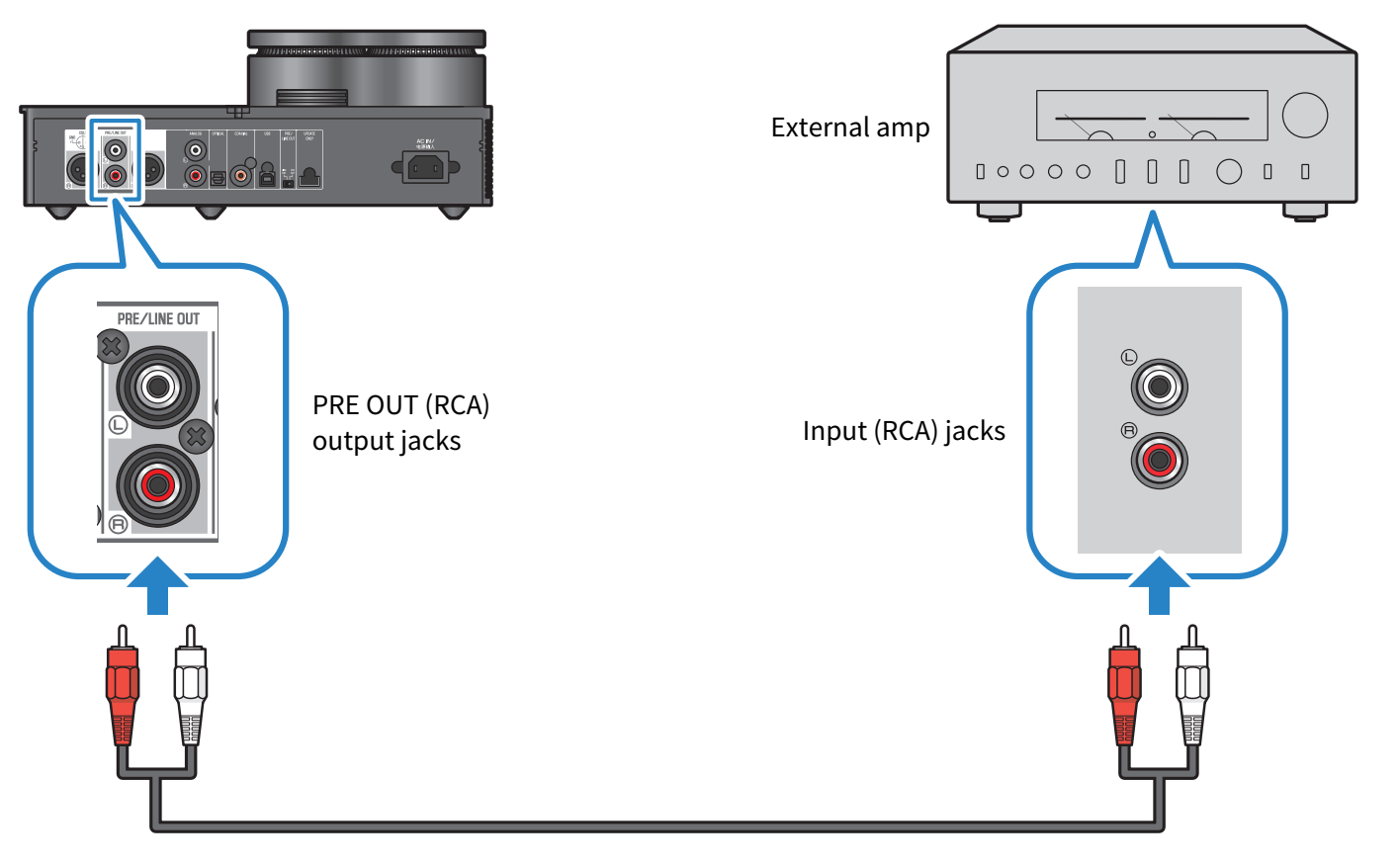
Connect as shown in the following illustration.
XLR cables
Stereo RCA cables
Be sure to set the [PRE/LINE OUT] switch after connecting the cables.
Setting the [PRE/LINE OUT] switch
Set the switch according to whether the connected device has a volume adjustment feature. Set this product’s power mode to off (standby) before toggling this switch.
For devices that have a volume adjustment feature (preamps, active speakers, etc.)
Set the switch to [LINE OUT]. With this setting, the volume is adjusted on the device that’s connected to this product.

Use the [PRE OUT] setting if the device does have a volume adjustment feature but the volume can’t be adjusted when using the jack or connector in question. (Example: the MAIN IN jack on the Yamaha A-S3200)
For devices that do not have a volume adjustment feature
Set the switch to [PRE OUT]. With this setting, the volume is adjusted on this product.

- Do not connect both a XLR cable and a stereo RCA cable to a single amp at the same time. This may cause noise.
- You can only select either the headphone jacks or the [PRE/LINE OUT] output jacks as the output destination. You can’t output audio signals to the headphones and to an external amp at the same time.
 HA-L7A