
Notification screen
10. Notification screen
This screen displays notifications from connected speakers and within this app. Notifications are displayed in the following cases:
-
When the speaker temperature rises
-
When there is a Bluetooth error
-
When an excessive current is detected in the speaker
-
When a firmware update is available for the speaker
-
When an update is available for the contents of this app
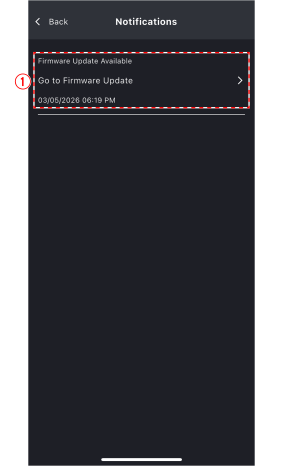
①
Notification display area
This area displays notifications. Tap
 to display the notification-related operation screen.
10.1. Firmware update screen
Update the speaker firmware.
 NOTE
NOTE
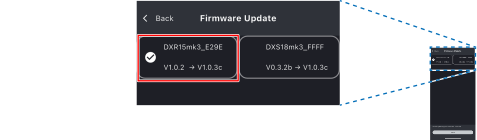
Firmware updates can be performed on multiple speakers simultaneously.
10.1.1. Updating the firmware
-
Select the speaker whose firmware will be updated.
-
Tap [Install].
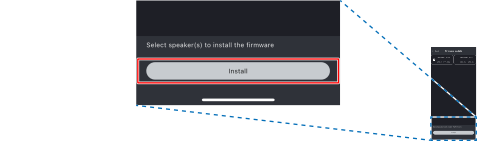
The firmware installation will begin.
NOTE
The firmware update takes about 15 minutes on average. Please allow enough time for the operation.
Depending on the connection signal strength and the surrounding environment, the update may not be completed successfully.
In such cases, first approach the device and update it.
If the update still fails, turn off the speaker and try updating again in a different location or at a different time.
|
© 2026 Yamaha Corporation
|