


Jacks of TV to connect to and cables to use
In order to fully use the functions of the sound bar, connect the TV and the sound bar with an HDMI cable.
An HDMI cable is not included with this product. Prepare a commercially available HDMI cable that is compatible with the functions of the device to connect to. (See below.)
When connecting to an HDMI input jack not compatible with ARC, also connect the included digital optical audio cable.
Cable(s) to use
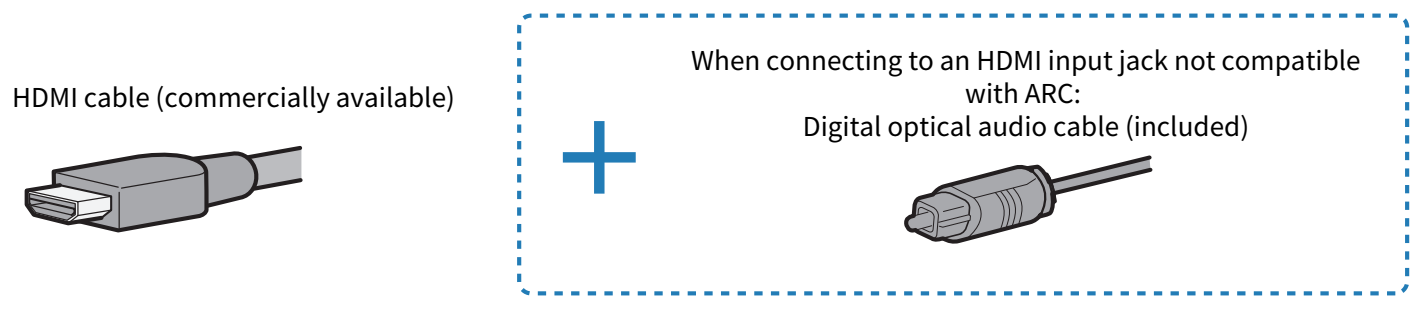
Jack(s) of TV to connect to

Connection procedure
“Connecting to a TV using an HDMI cable (commercially available)”
Functions of the device to connect to and compatible HDMI cables
Connect the TV and sound bar using an HDMI cable that is compatible with the functions you want to use.
Using a TV’s remote control to control the sound bar (HDMI Control function)
An HDMI cable of “Standard HDMI” specification or higher can be used. Use an ARC-compatible HDMI cable if the HDMI input jack of the TV supports ARC.
Inputting high-definition audio signals such as Dolby Atmos from an eARC-compatible TV to the sound bar
Use an Ethernet-supporting HDMI cable.
Transmitting high-definition video signals to the TV from an AV device connected to the HDMI IN jack on the sound bar
Use an HDMI cable that supports the transmission of video signals output from the AV device.
- For 3D and/or 4K video signals, use a Premium High Speed HDMI cable.
- For HDR video signals, use an HDR-compatible HDMI cable.
If connecting to a TV using only the included digital optical audio cable
If the TV is equipped with a digital optical jack, the TV can be connected using only the included digital optical audio cable. Use the included remote control to control the sound bar.
Cable: Digital optical audio cable (included)

Jack of TV to connect to: Digital optical audio output jack

Connection procedure
“Connecting to a TV using only the included digital optical audio cable”
- ARC is an abbreviation for Audio Return Channel. By connecting the ARC-compatible HDMI input jack on the TV to the ARC-compatible HDMI output jack on the sound bar or an AV receiver via an HDMI cable, audio from the TV can be played on the sound bar or AV receiver without using an optical cable.
- eARC is an abbreviation for Enhanced Audio Return Channel. It is an extension of the ARC functionality and is capable of transmitting high-definition audio signals such as Dolby Atmos via a TV, which ARC cannot transmit.
- Use a 19-pin HDMI cable with the HDMI logo printed on it.
- Use a cable that is as short as possible to prevent any degradation in signal quality.
 TRUE X BAR 50A (SR-X50A)