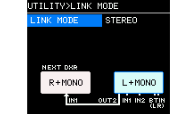
Setting Example
7. Setting Example
■
System example 1
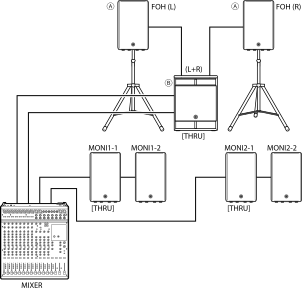
This SR system combines 2-way speakers, subwoofers, and stage monitors.
It is suitable for small live music venues, churches, event venues, etc. where you want to reinforce low frequencies.
Only the DXRmk3 series and DXSmk3 series speakers are used.
-
Individual analog connections on each bus
-
For the same sound source, use [THRU/DSP OUT] switch to set to [THRU]
-
DSP MODE (D-MODE) settings
Set to FOH/MAIN when 2-way speakers (FOH) are in use.
Set to MONITOR when stage monitors (MONI) are in use.
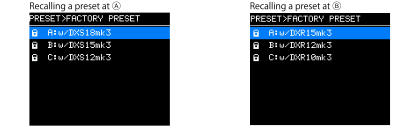
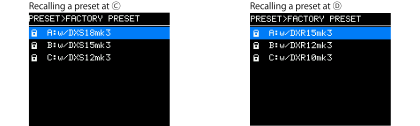
Presets allow you to easily recall the system settings shown in the diagram above.
■
System example 2
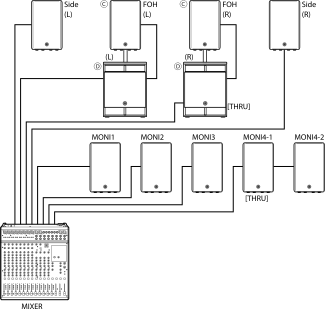
This SR system combines 2-way speakers and subwoofers using speaker poles. It also combines monitor speakers for the performers and on both sides of the stage.
It is suitable for live music venues, churches, event venues, etc. where you want to reinforce low frequencies.
Only the DXRmk3 series and DXSmk3 series speakers are used.
-
Individual analog connections on each bus
-
For the same sound source, use [THRU/DSP OUT] switch to set to [THRU]
-
DSP MODE (D-MODE) settings
Set to FOH/MAIN when 2-way speakers (FOH) are in use.
Set to MONITOR when monitor speakers (MONI, Side) are in use.
Presets allow you to easily recall the system settings shown in the diagram above.
■
System example 3
In this SR system, microphones, instruments, background music sound source (using Bluetooth® Audio), etc. are connected to a single 2-way speaker.
It can be used for a wide range of purposes, including small-scale solo concerts, presentations, and restaurants. Use the [LEVEL] control to adjust the volume so that feedback does not occur.
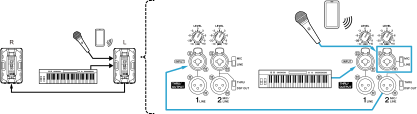
If you want use stereo output, set LINK MODE to STEREO.