


Part names of the sound bar (front/top)
This section describes the part names and functions of the front and top of the sound bar.
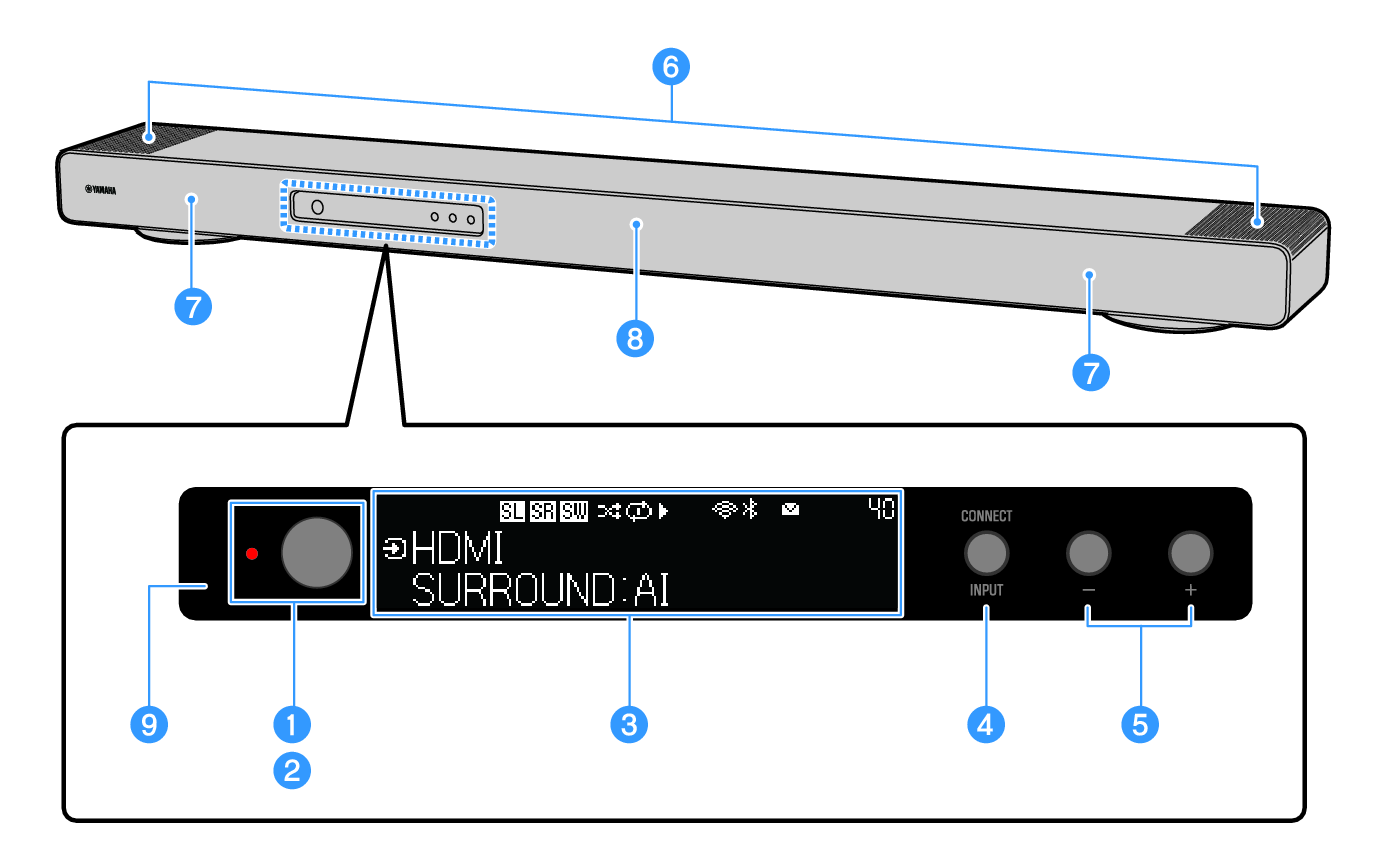
a | Power button Turn the sound bar on and off (standby). |
b | Power indicator The power status of the sound bar is displayed as follows. Off: When the power is on, the light is off. On: Glows in either of the following states when power is off. |
c | Front display Displays information and menus. |
e | VOL +/- buttons Adjust the volume. |
f | Height speakers |
g | Front speakers |
h | Center speaker |
i | Remote control sensor |
NOTE
- Text may become difficult to read when the temperature of the LCD display is very high or low, this is a characteristic of LCD displays and not indicative of a malfunction.
- Enabling the Child Lock prevents accidental operation.
- Use the Dimmer to adjust the brightness of the power indicator and the front display.
 TRUE X BAR 90A (SR-X90A)