Part names of the remote control

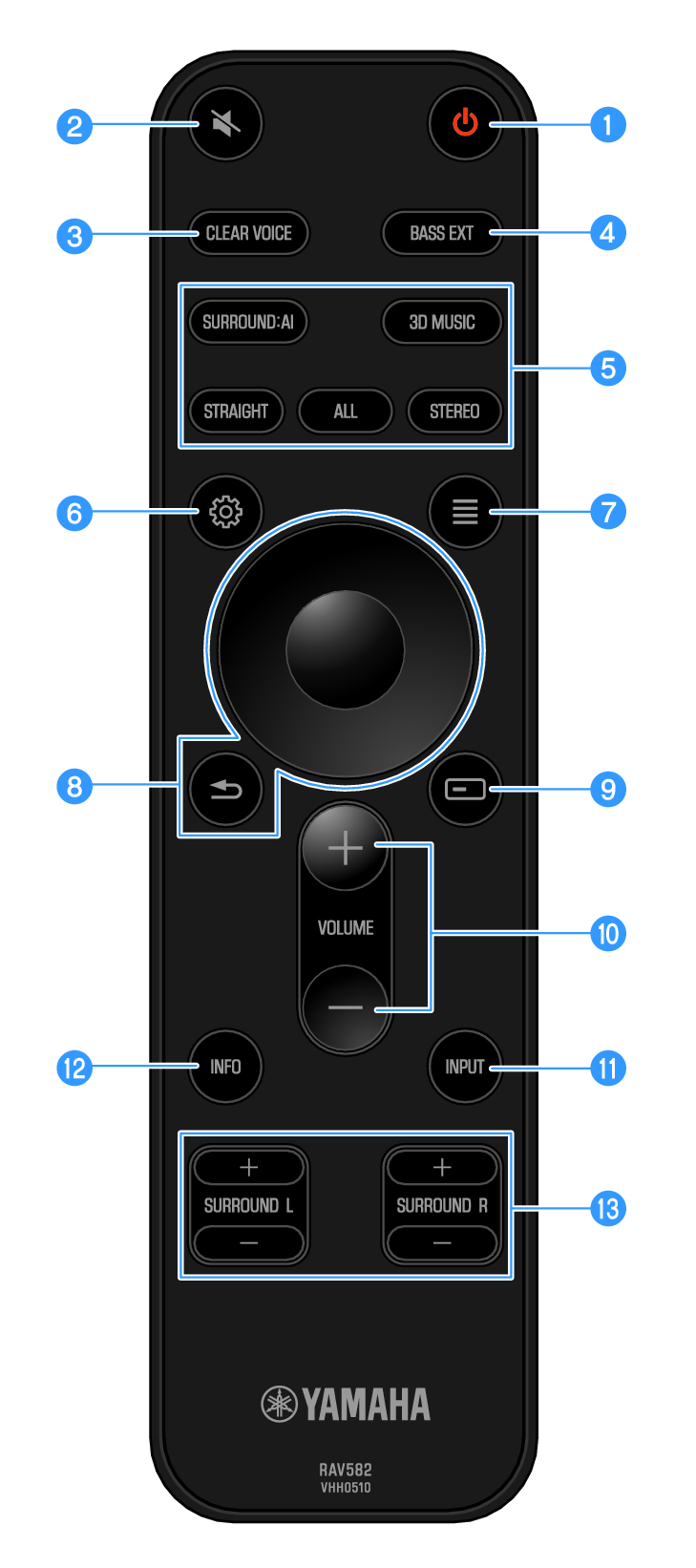
This section describes the part names and functions of the remote control.
a

z (Power) key

Turns the sound bar on and off (standby) ().

b

| (Mute) key

Mutes and unmutes the sound ().

c

CLEAR VOICE key

Enables or disables the Clear Voice function ().

d

BASS EXT key

Enables or disables the Bass Extension function ().

e

Sound mode keys

Switches sound modes ().

f

~ (Setup) key

Opens the Setup menu used on the TV screen ().

g

u (Option) key

Opens the Option menu used on the TV screen ().

h

ENTER/Cursor, - (Return) key

Displays menu operations at the top of the TV screen or on the front display.

The TV screen refers to the ENTER key as the “ENTER key”.

i

(Front Display Menu) key

Displays the front display menu ().

j

VOLUME +/- keys

Adjusts the volume ().

k

INPUT key

Selects the input source you want to play back ().

l

INFO key

Switches the front display between showing the type of audio signal being played back and other sound bar information ().

m

SURROUND L/R +/- keys

Adjusts the volume of the surround speakers ().

When only one surround speaker is used, you can use either the L or R keys of SURROUND L/R to adjust the volume of the surround speaker.

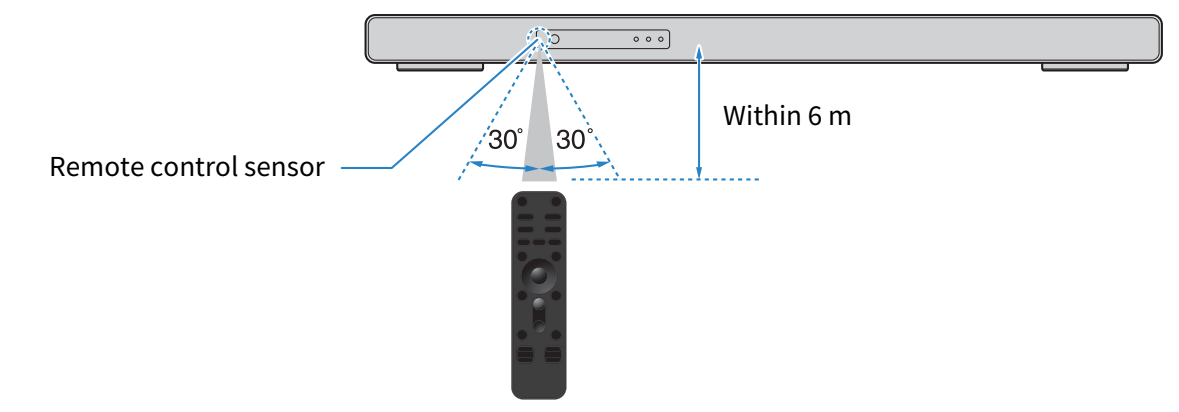
Remote control operating range

The operating range of the remote control is shown in the following illustration.

Use remote control by pointing it at the remote control sensor.