
Preparations for Using ProVisionaire Cloud
In order use ProVisionaire Cloud, a Yamaha Music ID for Business account is required. In addition, the user must belong to at least one "Organization".
Registering for an account
In order use ProVisionaire Cloud, a Yamaha Music ID for Business account must be registered. Follow the steps below to register for an account with Yamaha Music ID for Business.
-
Open the ProVisionaire Cloud window in the browser, and then click the [Sign In] button.
 ProVisionaire Cloud > Sign In
 -
The Sign in screen for Yamaha Music ID for Business appears.
Follow the on-screen instructions to register for an account.
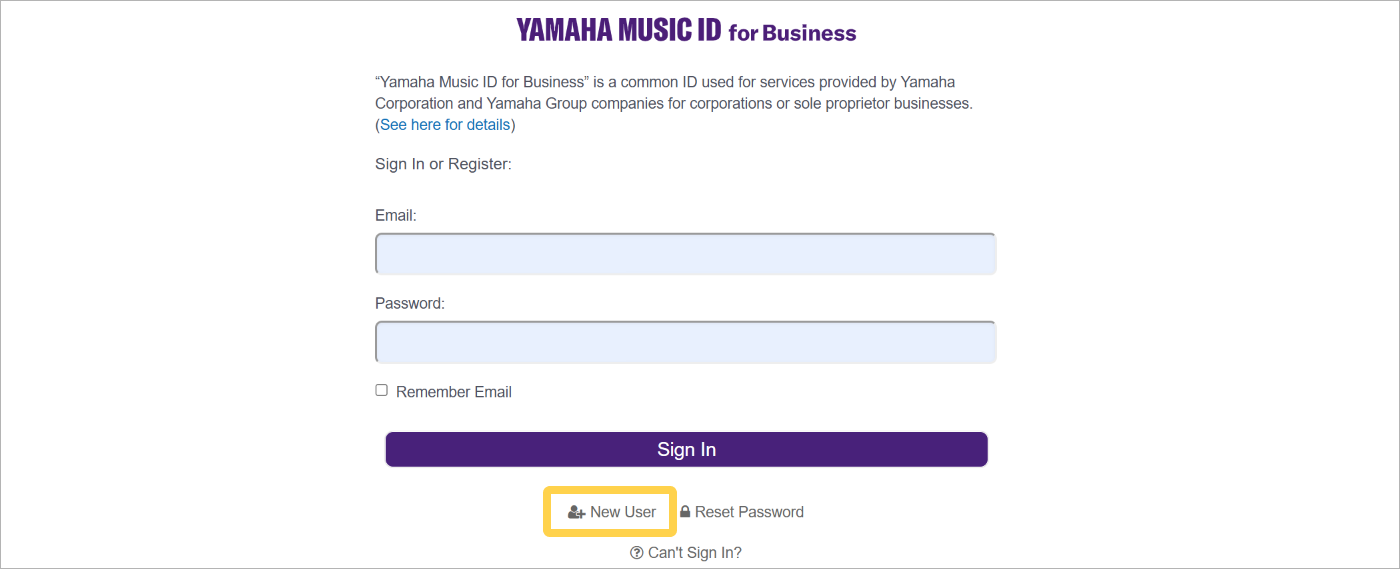 Yamaha Music ID for Business > Sign In
For details, refer to the following link.
|
Enter the email address at which you can receive email on your computer that will be used to access ProVisionaire Cloud. |
-
The create Organization screen for ProVisionaire Cloud appears.
Belonging to an Organization
If you already belong to an Organization with Yamaha Music ID for Business, join it by accepting an invitation. Create an Organization unless one has already been created.
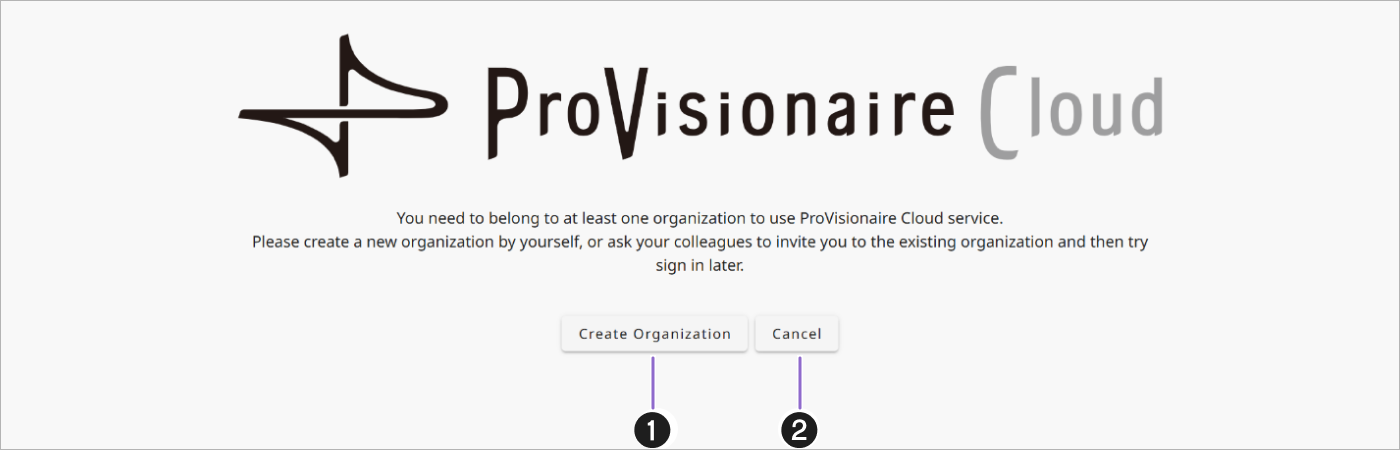
Create your own Organization
Click [Create Organization] button (1) to close the screen. Accept the invitation from the Organization administrator to join the Organization.
Joining an Organization after receiving an invitation
Click the [Cancel] button (2) to close the screen. Accept the invitation from the Organization administrator to join the Organization.
-
Request an invitation.
Request an invitation from a member of the Organization with the role of “Owner” or “Manager”. At this time, provide the email address registered with your account.
-
Once the invitation request has been accepted, an invitation email from the Organization will arrive.
-
Click the Accept Invitation link in the invitation email.
-
If, after signing in to ProVisionaire Cloud, the Organization name appears on the right side of the header, you have successfully joined the Organization.
