
About Organizations
"Organizations" can manage ProVisionaire Cloud services by linking multiple projects and users. They can be created for each corporation, company, department, etc.

Organization roles
There are three roles in an organization: “Owner”, “Manager” and “Member”.
For details, refer to the following link.
Creating a new Organization
Create a new organization. Anyone with an account can create an organization. The person who creates an organization is automatically assigned the role of “Owner”.
-
Click [Create Organization].
When creating an Organization immediately after completing account registration:
When creating an Organization from the Organization menu in the header:
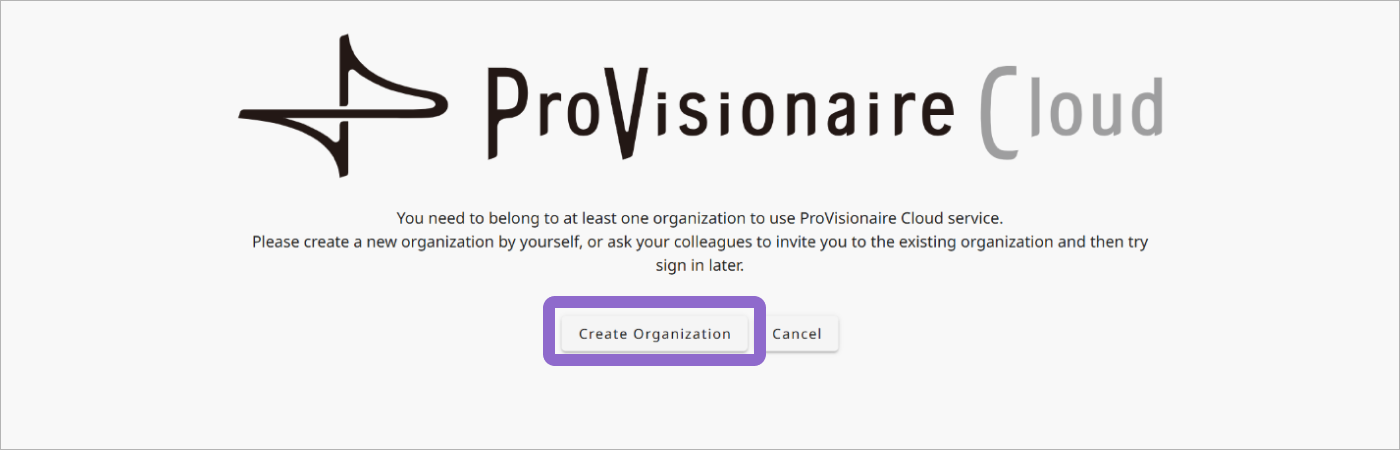 ProVisionaire Cloud: Account Registration Complete
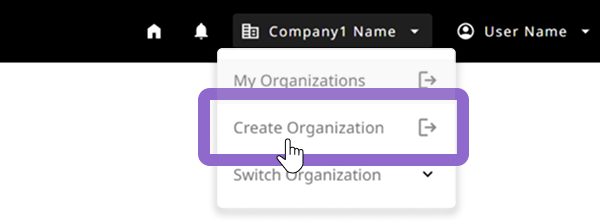 ProVisionaire Cloud: Header
Click the [Create Organization] button in the screen that appears after registration is finished.
After signing in to ProVisionaire Cloud, click [Create Organization] in the Organization menu to create an Organization.
The create Organization screen for Yamaha Music ID for Business appears.
-
Create a new Organization with Yamaha Music ID for Business.
For details, refer to the following link.
Managing Organizations
Depending on your role, you can edit Organizations and manage the members who belong to them.
-
After signing in to ProVisionaire Cloud, click My Organizations in the Organization menu to display the My Organizations screen.
 ProVisionaire Cloud: Header
 -
Manage Organizations and members with Yamaha Music ID for Business.
In the My Organizations screen, view the list of organizations you belong to and your role in the Organization. For each Organization, you can manage the Organization information and the members who belong to it.
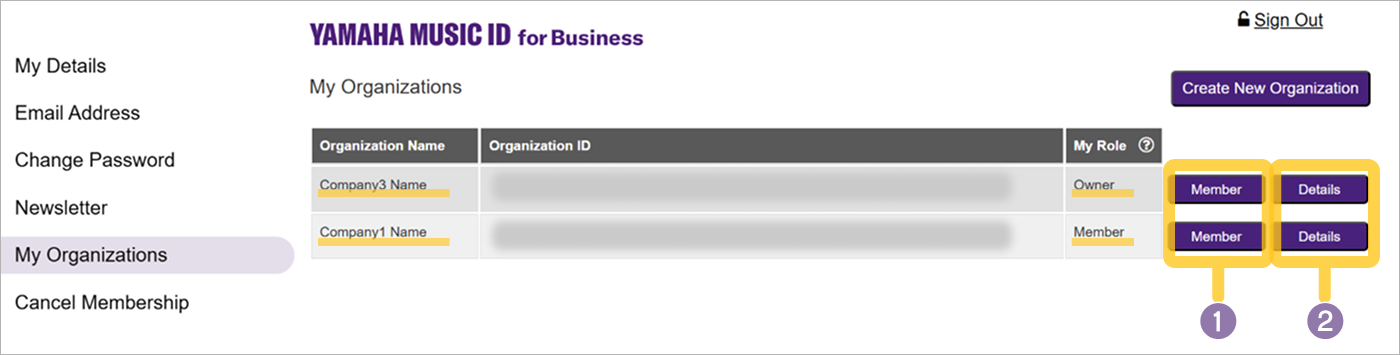 Yamaha Music ID for Business > My Organizations
- 1 [Member] button
- 2 [Details] button
Managing members of an Organization
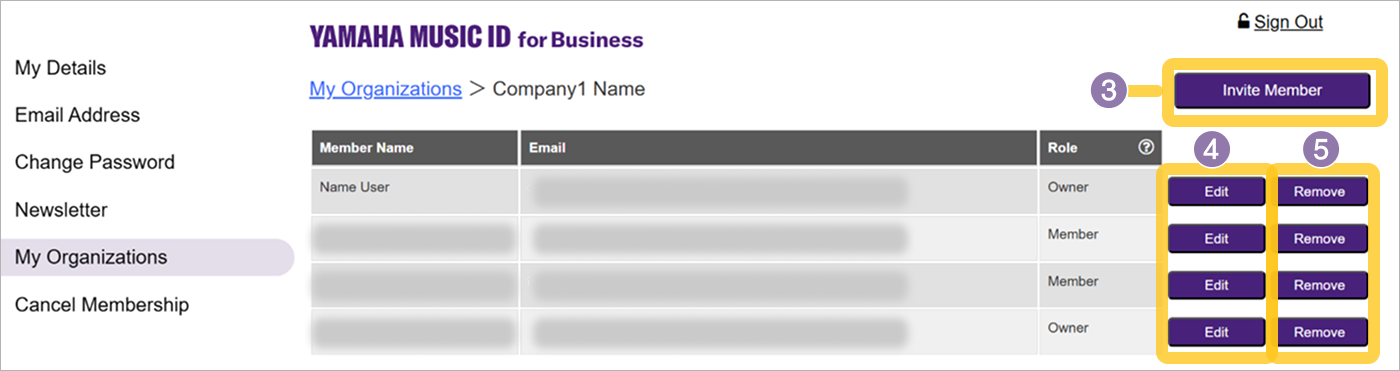
Inviting members to the Organization
- Organization users who can perform the operation:
-
Owner Manager
To add a user to an organization, invite the user to join the organization.(3)
Changing the Role of members in the Organization
- Organization users who can perform the operation:
-
Owner Manager
Change the organizational role of users who belong to the organization.(4)