
Custom Control Panel
6. Custom Control Panel
Once you have transferred a controller file that was created with ProVisionaire Control PLUS to a DME, the Custom Control Panel is the function that allows you to access and operate the controller file that is stored on the DME from an external computer or other device via a browser.
| As of V3.1, only the DME5/3 is supported. |
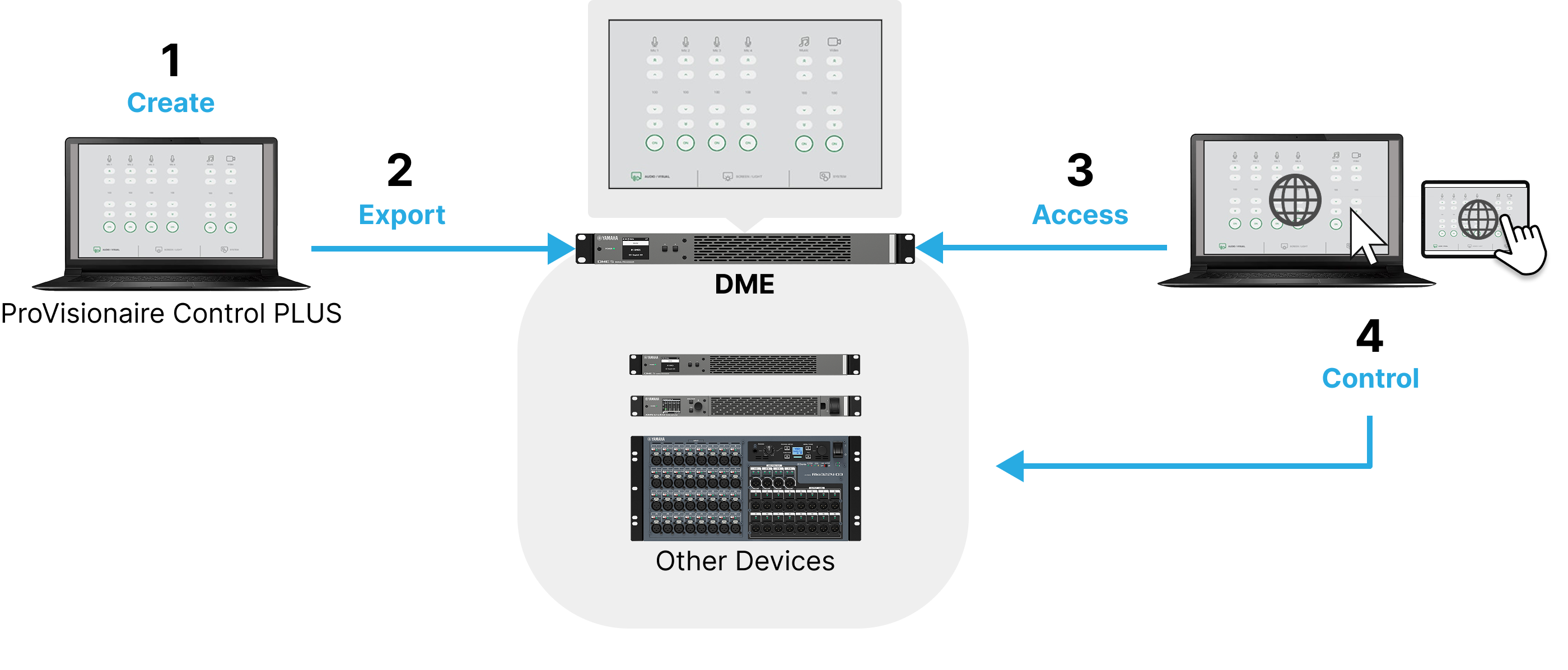
6.1. Workflow
-
Transfer the controller file to DME.
For details on how to transfer, refer to the [To DME] tab section of “Export Controller File” dialog box . -
Connect the computer or other display device and the DME to the same network.
-
Enter the IP address for controlling the DME into the address bar of the browser on the display device.
The control panel saved on the DME is displayed.
| You can connect to the control panel from multiple computers simultaneously. |
|
For more information on the display environment (supported browsers and operating systems), please refer to the Yamaha Pro Audio website.
https://www.yamahaproaudio.com/ |